TL;DR
Key takeaways
- Railway bills compute by the second, at about $20 per vCPU and $10 per GB of memory per month, plus $0.05 per GB of egress.
- Railway deploys to four regions: California, Virginia, Amsterdam and Singapore.
- Render is the closest like-for-like Railway alternative, running services, workers and cron jobs next to managed Postgres in five regions.
- AWS App Runner stopped accepting new customers on April 30, 2026, and AWS now recommends ECS Express Mode for new container apps.
- Modelence deploys services and their Postgres, MongoDB and Redis databases to AWS in 17 regions, and on Pro and above it operates them 24/7.
Ask AI about this post:
The best Railway alternatives in 2026 are Render for a like-for-like replacement, Fly.io for running close to users in many regions, and Modelence or AWS ECS Express Mode when your customers expect the app and its data on AWS. Five more options cover narrower needs, such as running inside your own cloud account or self-hosting on your own servers. This guide compares each Railway alternative on pricing, databases and regions, along with the tradeoff you take on with each, using prices checked in November 2026.
Why teams look for Railway alternatives
Railway's appeal is that you point it at a repo and get a running service and database with very little setup. Teams that move on usually do so once the app has grown into a different set of requirements:
- Billing predictability. Railway bills CPU and memory by the second, at about $20 per vCPU and $10 per GB of RAM per month, and egress costs $0.05 per GB. That is efficient for quiet apps, and it makes the bill for a spiky app harder to forecast, since a traffic burst or a memory leak shows up directly on the invoice.
- Regions. Railway deploys to four regions, two in the US (California and Virginia) plus Amsterdam and Singapore. Teams with users or data-residency requirements in places like Canada or Australia need a platform with more locations.
- Security reviews and AWS. Railway runs on its own data centers rather than a major cloud. When a larger customer sends a security questionnaire, teams often find it easier to answer if the app and its data run on AWS, and HIPAA BAAs on Railway are part of Enterprise agreements.
- Operating the app. Railway's own database docs say it does not publish an uptime SLA and that alerting on your databases is yours to set up. High availability and backups are available, but you turn them on and watch them yourself.
Security events also prompt reviews. In October 2026, Railway reported a security incident in which an attacker may have decrypted environment variables in up to about 1.85% of workspaces. Railway published a detailed report and remediation guides, and the key rotation it called for is a natural moment to review where you host.
The best Railway alternatives at a glance
| Platform | Starting price | Managed databases | Regions |
|---|---|---|---|
| Modelence | Free; Starter $20/mo | Postgres, MongoDB, Redis | 17 AWS regions |
| Render | Instances from $7/mo | Postgres, Key Value | 5 |
| Fly.io | Machines from about $2/mo | Postgres; Redis via Upstash | 17 |
| Northflank | Free sandbox; from $12/mo | Postgres, Redis | 17, or your own cloud |
| Heroku | Dynos from $5/mo | Postgres, Key-Value Store | US and EU |
| DigitalOcean App Platform | Containers from $5/mo | Postgres, Valkey | DigitalOcean regions |
| Google Cloud Run | Free tier, then per second | Cloud SQL, Memorystore | Most Google Cloud regions |
| AWS ECS Express Mode | About $45-50/mo with RDS | RDS, ElastiCache | All Fargate regions |
| Coolify | Free self-hosted; Cloud $5/mo | Self-run on your server | Your servers |
The 9 best Railway alternatives in 2026
1. Modelence
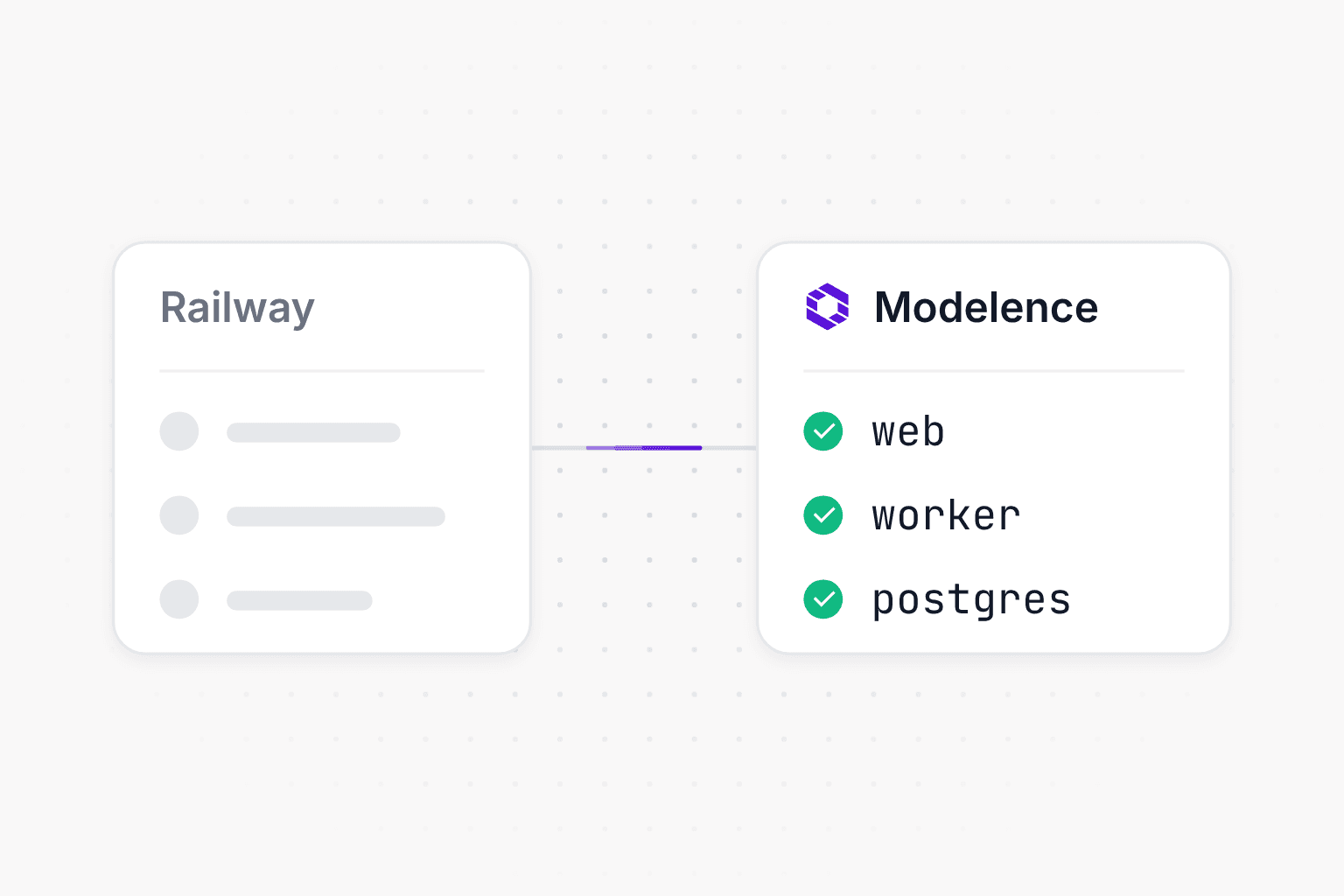
Modelence is a production cloud that deploys your backend, databases and scheduled jobs to AWS and then keeps operating them. An app is described in one modelence.config.json file, which can hold several services, such as an API, a worker and a frontend, along with their databases and secrets. Your coding agent can write that file by reading modelence.com/skill.md and run the first deploy, which creates everything in the AWS region you choose and passes the connection strings to the app.
Best for: teams that like how quickly Railway gets an app running, want it on AWS, and would rather not be the ones watching it around the clock.
How it runs your app: on Pro and above, production autopilot operates the app 24/7. It watches processes, requests and job runs, and when a process crashes or traffic climbs it restarts the process, reroutes traffic or adds capacity, then sends you a report of what happened. Problems that need a code change, like a memory leak or a slow query, are traced to where they start in your code. Containers run on AWS Fargate across two availability zones and are health-checked every 30 seconds, and a new version that keeps crashing is rolled back automatically. Read more on the monitoring and infrastructure pages.
Databases: managed Postgres, MongoDB and Redis, created in the same region as the app. Production databases fail over to a healthy machine automatically and are snapshotted at least every six hours on every plan, with encrypted snapshots kept on a rolling schedule for up to 12 months. See managed databases.
Regions: 17 AWS regions across the Americas, Europe and Asia Pacific. Data is encrypted at rest and in transit, and production services run to a 99.9% uptime target with a public status page, which covers many of the questions in a customer security review.
Pricing: free for hobby projects. Starter is $20 a month and Pro is $100 a month, and each paid plan includes its price in cloud usage, so the bill stays at the plan price unless your apps run more than it covers. See pricing.
Portability: Modelence runs on standard AWS primitives, so if you later build your own DevOps team, you can replicate the setup in your own AWS account.
2. Render
Render is the platform most similar to Railway. It runs web services, background workers and cron jobs from a Git repo or a Dockerfile, next to managed Postgres and a Redis-compatible Key Value store.
Best for: teams that want Railway's model with fixed per-instance pricing.
Pricing: the Hobby workspace is free plus compute, and Pro is $25 a month plus compute with unlimited seats. Paid web services start at $7 a month for 512 MB of RAM. Free web services spin down after 15 minutes without traffic.
Databases: Postgres starts at $6 a month for 256 MB of RAM, with storage at $0.30 per GB, and includes point-in-time recovery. Key Value starts at $10 a month for 256 MB. Free Postgres databases expire after 30 days.
Regions: five, with Oregon, Ohio and Virginia in the US plus Frankfurt and Singapore.
Tradeoff: bandwidth beyond the plan allowance (5 GB on Hobby, 25 GB on Pro) costs $0.15 per GB, three times Railway's egress price, so bandwidth-heavy apps should model this before moving.
3. Fly.io
Fly.io runs your app as lightweight virtual machines, called Machines, on its own hardware, and makes it easy to place them near your users.
Best for: latency-sensitive apps with a global user base, and teams comfortable working closer to the infrastructure.
Pricing: pay as you go, with no free allowance for new organizations beyond a small trial credit. A shared-cpu-1x Machine with 256 MB runs about $2.19 a month, and 1 GB about $6.70. Outbound data is $0.02 per GB in North America and Europe and more elsewhere.
Databases: Fly Managed Postgres starts at $38 a month, with high availability, automatic failover and backups on every plan. Redis comes through Upstash, either pay as you go from $0.20 per 100,000 requests or fixed plans from $10 a month.
Regions: 17 across six continents, including Toronto and Sydney.
Tradeoff: built-in scheduled Machines run hourly, daily, weekly or monthly, so finer cron schedules mean running a scheduler inside a Machine yourself, and the small-app database cost is higher than on most of this list.
4. Northflank
Northflank is a container platform that runs services, jobs and databases either on its own managed cloud or inside your own cloud account.
Best for: teams that want PaaS ergonomics now and the option to run in their own AWS, Google Cloud or Azure account later.
Pricing: a free Sandbox covers two services, two jobs and one database. Pay as you go is billed per second, and the smallest listed plan (0.5 vCPU, 1 GB) is $12 a month. Egress is $0.06 per GB.
Databases: managed addons for Postgres, MongoDB, Redis and a few other engines, with backups and high-availability options. Scheduled work runs as jobs with a crontab.
Regions: 17 on Northflank's managed cloud, or any region of a cloud you bring. Northflank lists SOC 2 Type II, HIPAA and ISO 27001.
Tradeoff: there are more concepts to learn than on Railway, such as addons, secret groups and BYOC clusters, which pays off at scale and slows down a first deploy.
5. Heroku
Heroku is one of the original Git-push platforms, and it runs apps on AWS infrastructure that Heroku manages.
Best for: teams that want a mature, well-documented platform with a large add-on marketplace.
Pricing: Eco dynos are $5 a month and sleep after 30 minutes of inactivity, Basic dynos are $7 and stay on, and Standard-1X dynos are $25.
Databases: Heroku Postgres starts at $5 a month for Essential-0 and $50 for Standard-0, and Heroku Key-Value Store (Redis) starts at $3. The free Scheduler add-on runs jobs every 10 minutes, hourly or daily on one-off dynos.
Regions: Common Runtime apps run in the US or Europe, and Private Spaces add ten regions, including Montreal and Tokyo.
Tradeoff: in February 2026, Heroku moved to a sustaining engineering model focused on stability, security and support, and stopped offering Enterprise contracts to new customers. Existing apps keep running and card-paying customers can still sign up, but new features are no longer the focus.
6. DigitalOcean App Platform
App Platform is DigitalOcean's managed PaaS, and it builds from a repo or container image and runs web services, workers and jobs next to DigitalOcean's managed databases.
Best for: teams already on DigitalOcean, or those who want simple flat pricing.
Pricing: up to three static sites are free. The smallest container is $5 a month with 512 MiB of memory and 50 GiB of transfer, and extra transfer is $0.02 per GiB.
Databases: a development Postgres database costs $7 a month but is not backed up by default and is deleted with the app. Managed Postgres, MongoDB and Valkey start at about $15 a month. Cron jobs are billed only while they run.
Regions: DigitalOcean's data centers across North America, Europe, Asia and Australia.
Tradeoff: autoscaling is available only on dedicated-CPU instances, so scaling small shared containers with traffic means doing it by hand.
7. Google Cloud Run
Cloud Run runs containers on Google Cloud and scales them with requests, down to zero when idle.
Best for: stateless APIs with uneven traffic on Google Cloud.
Pricing: with request-based billing, the first 180,000 vCPU-seconds, 360,000 GiB-seconds and 2 million requests each month are free, and usage after that is billed per 100 milliseconds.
Databases: Postgres comes from Cloud SQL and Redis from Memorystore, each set up and billed separately. Scheduled work runs as Cloud Run jobs triggered by Cloud Scheduler.
Regions: most Google Cloud regions worldwide.
Tradeoff: you put the pieces together yourself in Google Cloud, including networking and IAM, so it takes more setup than Railway for a multi-service app.
8. AWS with ECS Express Mode
If the reason you are leaving Railway is that you need AWS, the closest native service is ECS Express Mode. You give it a container image and two IAM roles, and it creates a Fargate service in your account behind a load balancer with HTTPS and autoscaling. AWS App Runner, the older option, stopped accepting new customers on April 30, 2026, and AWS recommends Express Mode in its place.
Best for: teams with AWS experience that want full control in their own account.
Pricing: Express Mode itself is free, and you pay for the resources it creates. A small app with one 0.25 vCPU Fargate task, a load balancer and the smallest RDS Postgres instance comes to about $45 to $50 a month in us-east-1 before logs and data transfer.
Databases: Postgres and MySQL on RDS, Redis-compatible Valkey on ElastiCache, and cron jobs through EventBridge Scheduler running ECS tasks.
Regions: every AWS region with ECS and Fargate.
Tradeoff: you own the operating, from networking and IAM to alarms and on-call, and the database and scheduler are separate services to configure.
9. Coolify
Coolify is an open-source, self-hostable PaaS that deploys apps, databases and one-click services to servers you control.
Best for: teams that want Railway-style deploys on their own VPS or bare metal, at server cost.
Pricing: self-hosting is free, and Coolify Cloud, which hosts the dashboard for you, is $5 a month for two servers plus $3 for each extra server.
Databases: Postgres, MongoDB, Redis and other common databases run as containers on your server, with scheduled backups to S3-compatible storage for most engines. Scheduled tasks use cron expressions.
Regions: wherever your servers are.
Tradeoff: you are responsible for the servers, including OS updates and database failover, and for recovering when a machine goes down.
Railway vs Render vs Fly.io
Railway vs Render
Both run services, workers, cron jobs and databases from a repo, and the main difference is how you pay. Railway bills the CPU and memory your app uses each second, while Render charges a fixed monthly price per instance size, so a quiet side project is often cheaper on Railway and a steadily busy app is easier to budget on Render. Render's Postgres comes with point-in-time recovery on every plan, while on Railway you enable HA, backups and recovery on the database template yourself. Egress favors Railway at $0.05 per GB against Render's $0.15 after the included allowance.
Railway vs Fly.io
Railway is built for getting a multi-service app running quickly with databases one click away, while Fly.io is built for placing small, cheap Machines across 17 regions. Fly.io asks for more infrastructure knowledge and its Managed Postgres starts at $38 a month, so a single-region app with a database is usually simpler on Railway, and a global app gets more control on Fly.io.
How to choose a Railway alternative
Start from the reason you are leaving, since each one points to a different platform:
- You want the same experience with predictable bills: Render, or DigitalOcean App Platform if you are already on DigitalOcean.
- You need more regions or lower latency worldwide: Fly.io for edge-style placement, or Modelence and Northflank for 17 regions each.
- Your customers expect AWS: Modelence if you want AWS without running it yourself, ECS Express Mode if you have the team to operate AWS directly, or Northflank BYOC in your own account.
- You want lower costs and have ops experience: Coolify on your own servers, or Cloud Run if your traffic is bursty.
- You don't want to be on call: pick a platform that operates the app after the deploy, which is what Modelence's production autopilot does on Pro and above.
Before you commit, map last month's Railway usage onto each candidate's instance sizes and database plans, since database pricing and bandwidth are where totals differ most.
How to migrate off Railway
A Railway project moves in roughly the same steps wherever it is going:
- Rotate your keys and list your variables. Issue new API keys and passwords, then list what each service uses with
railway variables --kv --service api --environment production. Sealed variables don't appear there, so check the dashboard for those. - Recreate the services. Each Railway service becomes a service on the new platform, built from its Dockerfile or the build and start commands in
railway.jsonorrailway.toml. Railway cron services, which start on a schedule and exit, become cron jobs or timers inside a running service. - Copy the data with logical replication. Turn on logical replication for the Railway Postgres database, copy the schema, then publish the tables on Railway and subscribe from the new database. The app keeps serving while existing rows copy and new writes stream across. Files on a volume move to object storage such as S3.
- Switch over. When replication has caught up, stop writes on Railway and copy the sequence values, which replication doesn't carry. Then end the subscription and point your domain at the new app.
Our step-by-step guides cover both routes in detail: migrating from Railway to Modelence, where your coding agent writes the config file from your Railway project, and migrating from Railway to AWS, which maps each Railway feature to an AWS service such as ECS or RDS and includes a cost breakdown.
Frequently asked questions (FAQs)
What is the best alternative to Railway?
Render is the closest like-for-like replacement, since it offers the same mix of web services, workers, cron jobs, Postgres and a Redis-compatible store. If you want your app on AWS with the operating handled for you, Modelence is the better fit. Fly.io suits apps that need to run close to users in many regions.
Is Render cheaper than Railway?
It depends on how busy your app is. Railway bills CPU and memory by the second as they are used, so a mostly idle app can cost very little, while Render charges a fixed price per instance, starting at $7 a month for 512 MB. Busy apps with steady load are often easier to forecast on Render, but Render charges $0.15 per GB of bandwidth beyond the plan allowance, against Railway's $0.05.
Railway vs Fly.io: which should I use?
Railway is simpler to start with and bundles databases as one-click services. Fly.io runs Machines in 17 regions and is built for apps that need to sit close to users around the world, but it expects more infrastructure knowledge, and its Managed Postgres starts at $38 a month.
Can I run a Railway-style app on AWS?
Yes. The closest native AWS option is ECS Express Mode, which turns a container image into a Fargate service with a load balancer, HTTPS and autoscaling, with databases on RDS and ElastiCache. Modelence also runs your services and databases on AWS, from one config file your coding agent writes.
Is AWS App Runner still available?
Only for existing customers. AWS closed App Runner to new customers on April 30, 2026, and recommends ECS Express Mode for new services.
Is Heroku a good Railway alternative in 2026?
Heroku still works well and runs mature managed Postgres, but since February 2026 it has been in a sustaining engineering model focused on stability and security rather than new features. Enterprise contracts are no longer offered to new customers, while card-paying customers can keep signing up and using it.
How do I migrate from Railway without downtime?
Deploy the app on the new platform first, then copy your Postgres data with logical replication while the Railway app keeps serving. When the new database has caught up, stop writes on Railway, copy the sequence values and move your domain, so the only pause is the switch itself.
Related articles