TL;DR
Key takeaways
- Bolt is strong for fast prototyping but can become less efficient as projects grow.
- The best Bolt alternatives differ in backend control, pricing, deployment, and code ownership.
- Modelence is geared toward full-stack, production-ready web apps.
- Lovable, Replit, and v0 are strong options for rapid AI-assisted development.
- Cursor, Adalo, and user interface (UI) Bakery fit more specific developer, mobile, and internal-tool workflows.
Ask AI about this post:
Bolt is great for getting a prototype working fast.
The friction usually starts later, when debugging burns through tokens, the codebase gets harder to manage, or the app needs stronger backend control, cleaner handoff, and more reliable production infrastructure.
This guide compares nine Bolt alternatives for builders who have already hit that point.
The focus is not on which tool demos best, but which options are better suited to carrying a validated app further, based on factors like cost, debugging, backend capabilities, code ownership, and production readiness.
Reasons Users Look for an Alternative to Bolt.new
Users often explore Bolt.new competitors when projects become larger, more expensive to iterate on, or harder to manage.
The main pressure points are token usage, context limits, runtime constraints, infrastructure control, code handoff, and support.
The Debug Loop Tax
Bolt charges based on tokens processed, so failed debugging attempts still consume your allowance. Larger projects also use more tokens because Bolt has more files and context to process.
Current pricing starts at:
- Free: 1 million tokens per month
- Pro: $25 per month for 10 million tokens
- Teams: $30 per member per month
Bolt also offers Plan Mode and more token-efficient agents to reduce unnecessary usage. The pricing details were verified in August 2026.
What Happens Past 100 Prompts
Bolt does not document a quality drop after 100 or 200 prompts. The bigger issue is context size.
As more files, prompts, uploads, and conversation history enter the context window, Bolt may produce slower or lower-quality responses.
Its documentation recommends refactoring very large files and clearing context after major features.
What Running in the Browser Actually Means
Bolt uses StackBlitz WebContainers to run Node.js directly in the browser.
That enables fast setup and previews, but introduces limits around native Node add-ons and non-JavaScript backends such as Python or PHP: Hypertext Preprocessor (PHP).
The browser runtime is for development. Published apps run through Bolt Hosting or another supported host.
The Backend Runs on Supabase and Netlify
Bolt Cloud now provides its own managed database and hosting, while Supabase and Netlify remain available options.
Bolt Cloud includes:
- PostgreSQL database and authentication
- File storage and server functions
- Secrets, hosting, and analytics
- Stripe integration
For teams comparing a Bolt alternative for backend development, the key tradeoff is convenience versus infrastructure control.
Taking Your App Out of Bolt
Bolt lets users download projects or sync them with GitHub, so the source code can move to another development environment.
Infrastructure may still need migration if the project relies on Bolt Database, authentication, server functions, secrets, or hosting.
Teams should also review code structure, dependencies, and data access before handing the repo to another developer.
Getting Help When Your App Goes Down
Bolt offers Discord support for all users and email support for paid users during weekday business hours.
Standard plans do not advertise a guaranteed response-time service-level agreement (SLA), while Enterprise includes 24/7 priority support and custom SLA options.
That difference matters more once an app supports paying users or critical workflows.
The Selection Criteria Behind These Tools
We shortlisted these Bolt alternatives based on the factors that matter most once an AI app builder moves beyond a quick prototype:
- Build quality: Generates usable, maintainable code.
- Debugging: Finds and fixes errors reliably.
- Backend support: Handles databases, auth, application programming interfaces (APIs), and server logic.
- Code ownership: Lets users export and edit the code.
- Production readiness: Supports deployment, scaling, and real users.
- Pricing: Keeps costs predictable as usage grows.
- Developer control: Offers flexibility over stack and infrastructure.
- Ease of use: Helps semi-technical users build quickly.
- Support and community: Provides useful docs, help, and user resources.
These criteria help distinguish tools that are good for quick prototypes from those that can support a product as it becomes more complex.
9 Best Bolt Alternatives Worth Your Attention
The best alternatives to Bolt.new solve different problems, from lower-cost prototyping to stronger backend control, code ownership, and production deployment.
The options below are compared using the same criteria so you can quickly see where each tool fits best.
1. Modelence
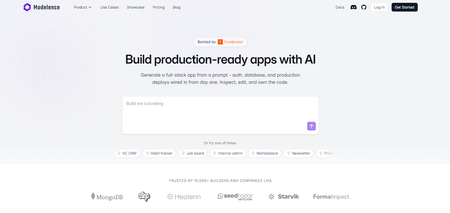
Modelence is a full-stack AI app builder for building and deploying production web apps, with the frontend, backend, database, authentication, and infrastructure handled in one platform.
Key features:
- Built-in database and authentication
- Cron jobs and background workloads
- Logs, traces, and performance monitoring
- One-click deployment with autoscaling
- Code and data ownership
Best fit: Founders, agencies, and teams that want to build and operate full-stack production apps without assembling the infrastructure themselves.
Why it’s a good alternative to Bolt: It combines AI-assisted development with built-in backend infrastructure, deployment, and observability.
Pricing: Modelence currently offers:
- Free: $0/month with $5 in App Builder usage
- Starter: $20/month with one production instance and $20 in App Builder usage
- Pro: $100/month with five production instances and $100 in App Builder usage
- Enterprise: Custom pricing
Starter and Pro support additional App Builder usage at Anthropic API rates with no markup; extra cloud usage is billed separately.
Community sentiment: A Product Hunt review highlights the convenience of building the frontend, backend, and database in one place, with some interest in stronger editing and more integrations.
2. Lovable
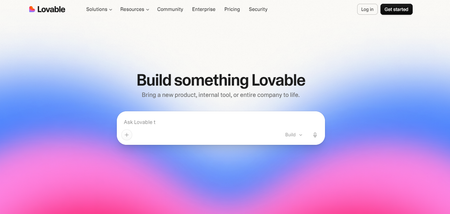
Lovable is an AI app builder that generates full-stack web apps from natural-language prompts, with editable code and built-in backend options through Lovable Cloud or Supabase.
Key features:
- Built-in database, authentication, storage, and edge functions
- GitHub and GitLab sync
- Direct code editing on paid plans
- Built-in publishing and custom domains
- External deployment and self-hosting options
Best fit: Founders and small teams that want to move quickly from an idea to a full-stack minimum viable product (MVP).
Why it’s a good alternative to Bolt: Lovable combines prompt-based building with integrated backend services and flexible code export.
Pricing: Lovable currently offers:
- Free: $0 with 5 daily build credits, capped at 30 per month
- Pro: Starts at $25/month for 100 monthly credits
- Business: Starts at $50/month for 100 monthly credits
- Enterprise: Volume-based pricing
Annual billing lowers Pro to about $21/month and Business to about $42/month at the 100-credit tier. The pricing details were verified in August 2026.
Community sentiment: G2 reviews frequently mention Lovable’s ease of use and ability to turn ideas into working app flows quickly.
3. Replit
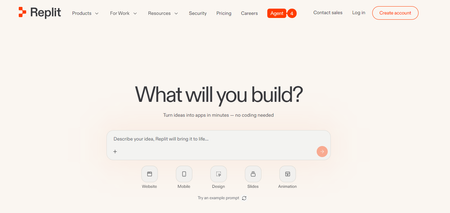
Replit is a browser-based development platform with an AI Agent that can build, debug, and deploy full-stack apps, with database and authentication built in.
Key features:
- AI Agent for building and debugging
- Built-in database and authentication
- One-click publishing
- GitHub repository imports
- Cloud-based development environment
Best fit: Builders and teams that want AI-assisted development with direct access to the code and development environment.
Why it’s a good alternative to Bolt: Replit combines AI app generation with a fuller cloud integrated development environment (IDE), built-in backend services, and deployment.
Pricing: Replit currently offers:
- Starter: Free
- Core: $20/month billed annually, with $25 in monthly credits
- Pro: $100/month, or $95/month billed annually, with $100 in monthly credits.
- Enterprise: Custom pricing
Annual billing reduces Core to $18/month and Pro to $90/month; additional usage is billed through Replit’s credit system. The pricing details were verified in August 2026.
Community sentiment: A recent G2 review shows Replit’s fast browser-based prototyping and easy sharing, but notes that usage-based costs can make budgeting less predictable.
4. v0 by Vercel
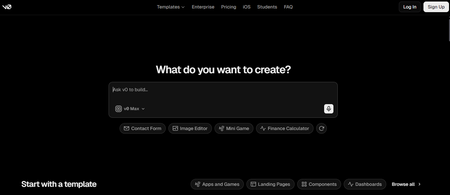
v0 is Vercel’s AI app builder for generating full-stack web apps, with tight integration into Vercel’s deployment platform and GitHub.
Key features:
- Full-stack app generation
- Database integrations
- GitHub import and sync
- Visual and direct code editing
- One-click Vercel deployment
Best fit: Teams building React or Next.js apps that want strong UI generation and a direct path to Vercel deployment.
Why it’s a good alternative to Bolt: It pairs AI-generated code with Vercel’s deployment ecosystem and strong frontend tooling.
Pricing: v0 currently offers:
- Free: $0/month with $5 in monthly credits
- Plus: $30/user/month with $30 in monthly credits
- Business: $100/user/month with $30 in monthly credits
- Enterprise: Custom pricing
Paid plans can purchase additional credits; the older $20 Premium plan is being phased out and is unavailable to new users. The pricing details were verified in August 2026.
Community sentiment: In a Reddit discussion, developers talked about how v0 is good for UI prototyping and custom components, while some found it less dependable for larger projects.
5. Base44
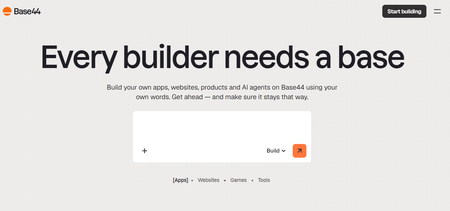
Base44 is a no-code AI app builder that generates the frontend, backend, database, authentication, and hosting from natural-language prompts.
Key features:
- Built-in database and authentication
- Backend functions and integrations
- Visual and in-app code editing
- GitHub integration on Builder and above
- Built-in hosting and analytics
Best fit: Non-technical founders and small teams that want an all-in-one environment for quickly building web apps.
Why it’s a good alternative to Bolt: Base44 bundles app generation and backend infrastructure with a beginner-friendly no-code workflow.
Pricing: Monthly plans are:
- Free: $0
- Starter: $20/month
- Builder: $50/month
- Pro: $100/month
- Elite: $200/month
- Enterprise: Custom pricing
Annual billing lowers Starter, Builder, Pro, and Elite to $16, $40, $80, and $160 per month, respectively. The pricing details were verified in August 2026.
Community sentiment: Product Hunt reviewers frequently mention Base44’s fast prototyping and approachable no-code workflow, while some mention inconsistent results on more complex projects.
6. Cursor
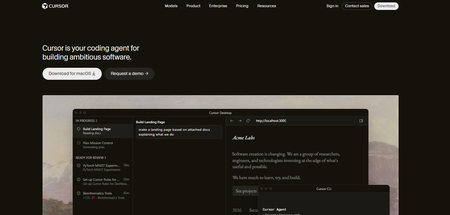
Cursor is an AI-first code editor for developers who want agentic coding, codebase-aware assistance, and direct control over an existing repository.
Key features:
- Agent for multi-file coding tasks
- Codebase-aware editing
- Frontier model access
- Cloud agents
- Model Context Protocols (MCPs), skills, and hooks
Best fit: Developers and technical teams that want AI assistance inside a full coding environment rather than a managed app builder.
Why it’s a good alternative to Bolt: Cursor gives developers more direct control over the codebase and development workflow.
Pricing: Cursor currently offers:
- Hobby: Free
- Pro: $20/month
- Pro+: $60/month
- Ultra: $200/month
- Teams Standard: $40/user/month
- Teams Premium: $120/user/month
- Enterprise: Custom pricing
The pricing details were verified in August 2026.
Community sentiment: In a Hacker News discussion, users liked Cursor’s tight in-editor AI workflow and the reduced need to switch between an IDE and chatbot.
7. Firebase Studio
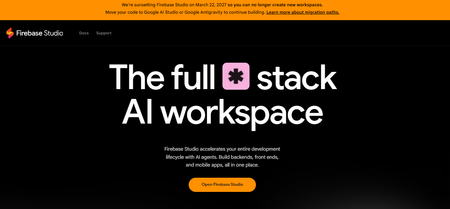
Firebase Studio is Google’s browser-based AI development environment, combining Gemini-assisted coding with Firebase and Google Cloud services.
New signups are now closed, with Firebase Studio scheduled to shut down on March 22, 2027.
Key features:
- Gemini-assisted coding and prototyping
- Full Code open-source software (OSS)-based IDE
- Firestore and Firebase Authentication integration
- GitHub repository imports
- Firebase deployment tools
Best fit: Existing Firebase Studio users building within the Firebase ecosystem before migrating to another environment.
Why it’s a good alternative to Bolt: Its full virtual machine (VM)-based IDE and deep Firebase integration offer more development-environment flexibility, although it is no longer available to new users.
Pricing: Firebase Studio is no-cost for existing users, while connected Firebase services follow Firebase pricing:
- Spark: No-cost plan with usage limits
- Blaze: Pay-as-you-go
- App Hosting: Requires a Cloud Billing account and Blaze plan
The pricing details were verified in August 2026.
Community sentiment: Reddit feedback is mixed, with users appreciating the integrated cloud workspace while reporting friction with the AI-assisted building experience.
8. Adalo
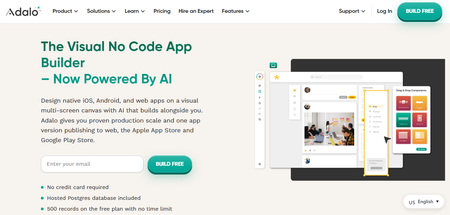
Adalo is a visual AI app builder for creating database-driven web and native iOS and Android apps without coding.
Key features:
- Built-in PostgreSQL database
- Native iOS and Android publishing
- Ada AI app-building assistant
- Custom actions and integrations
- Push notifications and analytics
Best fit: Non-technical founders building mobile-first apps without managing a traditional codebase.
Why it’s a good alternative to Bolt: Adalo offers a more visual workflow and direct native mobile app publishing.
Pricing: Annual-plan prices are:
- Free: $0/month
- Starter: $36/month
- Professional: $52/month
- Team: $160/month
Paid plans have no token or app-action usage charges. The pricing details were verified in August 2026.
Community sentiment: Reddit thread sees Adalo as fast and beginner-friendly, but less flexible for complex app logic.
9. UI Bakery
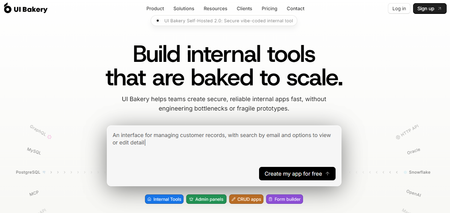
UI Bakery is an AI and low-code builder focused on internal tools, dashboards, admin panels, and create, read, update, and delete (CRUD) apps connected to databases and APIs.
Key features:
- AI app generation
- Database and API connectors
- Editable React code
- Custom JavaScript and Python
- Cloud and self-hosted deployment
Best fit: Teams building data-heavy internal tools, dashboards, and admin interfaces.
Why it’s a good alternative to Bolt: UI Bakery offers stronger low-code controls and data integrations for internal business applications.
Pricing: Current monthly prices are:
- Free: $0
- Builder: $25/developer/month
- Team: $40/developer/month
- Enterprise: Custom pricing
Annual billing lowers Builder to $20 and Team to $35 per developer per month. The pricing details were verified in August 2026.
Community sentiment: From this G2 discussion, most feedback is positive on its intuitive interface and fast development, though some users report high AI credit consumption.
Picking the Right Alternative
The right Bolt alternative depends on what is limiting your current workflow.
A fast prototyping tool may be enough for an MVP, while a production app usually needs stronger control over backend infrastructure, deployment, and code.
Consider:
- Technical control: How much access do you need to the code and infrastructure?
- Backend needs: Do you need auth, databases, APIs, or background jobs?
- Deployment: Can the platform support production hosting and scaling?
- Cost: Will pricing remain predictable as usage grows?
- Handoff: Can developers easily maintain or migrate the project later?
If you need to migrate from Bolt into a full-stack environment built for production, Modelence is a strong fit.
It combines AI-assisted development with backend infrastructure, deployment, and observability, and you can try it for free.
Frequently asked questions (FAQs)
What is the best Bolt.new alternative?
The best choice depends on your needs, with Modelence suited to production-ready full-stack apps, Lovable to rapid MVPs, and Cursor to developer-led workflows.
Why does Bolt.new use up tokens so fast?
Larger Bolt projects use more tokens because the agent must read, understand, and sync more project files with each request.
Can you export your code from Bolt.new?
Yes, Bolt lets you download the project as a ZIP or sync the code with GitHub for development elsewhere.
Is there a free or open-source Bolt.new alternative?
Yes, Modelence offers a free plan and its underlying framework is open source.
Bolt.new vs Lovable: which is better?
Bolt offers a flexible browser-based coding environment, while Lovable is a strong fit for quickly building full-stack apps with an integrated backend.
Can Bolt.new build a backend and database?
Yes, Bolt can create databases, authentication, server functions, and other backend functionality through Bolt Cloud or Supabase.
Can Bolt.new run scheduled or background jobs?
Bolt Database supports scheduled cron jobs and server functions, with execution visible in its database logs.
Is Bolt.new good enough for a production app?
Bolt can host full-stack production apps, but suitability depends on the app’s complexity, infrastructure needs, support requirements, and maintainability.
What should I use after Bolt for a real product?
Modelence is a strong next step for a full-stack production app, while Cursor fits teams that want developers to take direct control of the codebase.
Related articles