TL;DR
Key takeaways
- The best AI web app builder depends on the app’s complexity, required infrastructure, and long-term maintenance needs.
- Prototype-focused tools prioritize speed, while production-ready builders add security controls, monitoring, deployment, and reliable data management.
- Code ownership matters because it determines whether an app can be transferred, self-hosted, or maintained outside the original platform.
- Credit-based pricing can become expensive when troubleshooting consumes the same allowance as building new features.
- Testing a realistic workflow before subscribing helps reveal limits around permissions, errors, data, deployment, and ongoing costs.
Ask AI about this post:
The best AI web app builder in 2026 is not simply the one that can generate an app from a prompt.
Many tools can now produce working full-stack software, but the real difference is whether the app remains secure, stable, and maintainable once real users begin relying on it.
This AI app builder comparison looks at what each platform builds, who it suits, how production-ready it is, what it costs, and how much control you keep over the code.
The list includes fast prototype tools, visual builders, coding agents, and production-grade platforms, with honest limitations for each.
There is no single winner. The right choice depends on what you are building and how far you need it to go.
Quick Comparison: AI Web App Builders at a Glance
The best AI web app builder depends on what you need to create, how much technical control you want, and whether the finished app must support real users in production.
| Platform | Best For | What It Builds | Production-Ready? | Code Ownership | Free Tier | Starting Paid Price |
|---|---|---|---|---|---|---|
| Modelence | Full-stack web apps you can own and continue developing | Full-stack web apps with a built-in backend, database, and authentication | Yes, with managed deployment, autoscaling, and monitoring | Yes; export to GitHub, self-host, or deploy elsewhere | Yes | $20/month |
| Lovable | Polished websites, software-as-a-service (SaaS) products, and web apps built through prompts | Full-stack web apps using Lovable Cloud, Supabase, or external services | Yes, although hosting and in-app AI usage may create separate costs | Yes; two-way GitHub sync and self-hosting are supported | Yes | $25/month |
| Replit | Agent-led development in a browser-based coding environment | Full-stack web apps, mobile apps, and other coded projects | Yes, through Replit Publishing and its managed services | Yes; projects use standard code and can connect to external repositories | Yes | $25/month, or $20/month billed annually |
| Bolt.new | Rapid web and Expo mobile development in the browser | Full-stack JavaScript web apps and cross-platform mobile apps through Expo | Conditional; web apps can be hosted directly, while mobile publishing requires Expo tooling and app-store accounts | Yes; download the code or connect the project to GitHub | Yes | $25/month |
| Base44 | Non-developers who want the database, authentication, and hosting handled | Full-stack web apps with a managed backend | Yes, for supported web-app use cases | Yes; ZIP export is available, while GitHub export requires Builder or higher | Yes | From $16/month billed annually |
| v0 by Vercel | Interfaces and web apps built within the Vercel ecosystem | Frontend components and full-stack web apps | Yes, through one-click production deployment to Vercel | Yes; GitHub sync and standard code are supported | Yes | $30 per user/month |
| Bubble | Complex workflows built through a visual no-code editor | Full-stack web and native mobile apps | Yes, within Bubble’s hosted platform | No source-code export; moving away generally requires rebuilding the app logic | Yes, for development | $32/month for web only, or $29/month billed annually |
| Softr | Client portals, internal tools, and business apps connected to existing data | Portals and business apps using Softr databases or external data sources | Yes, for the business-app use cases the platform supports | No full application source-code export; data exports are available | Yes | $59/month, or $49/month billed annually |
| Cursor | Developers editing, extending, or maintaining a codebase | Any application the user codes within the editor | No; Cursor does not provide the database, hosting, or production runtime itself | Yes; it works directly with code in your repository | Yes | $20/month |
“Production-ready” means the platform can support a deployed application, not that every AI-generated app is automatically secure, scalable, or ready for customers.
Some platforms include the database, authentication, deployment, and monitoring, while others require external services or additional technical setup.
Starting prices exclude usage overages, hosting charges, external databases, app-store accounts, and third-party services.
What Separates a Prototype Builder From a Production-Ready Builder
A production-ready AI app builder must do more than generate an interface that works in a preview.
It should help you verify the code, protect data, control what the agent can change, diagnose failures, and move the app elsewhere if needed.
- Near-correct output still needs verification. Stack Overflow’s 2025 Developer Survey found that 66% of respondents were frustrated by AI solutions that were almost right, 45.2% said debugging AI-generated code took longer, and only 3.1% highly trusted its accuracy.
- Security defaults need independent review. The Common Vulnerabilities and Exposures record 2025-48757 (CVE-2025-48757) describes insufficient row-level security in Lovable-generated sites through April 15, 2025, with a critical score of 9.3, although Lovable disputes the record’s characterization. Lovable later added publishing security scans and now documents checks for row-level security, database configuration, application code, and dependencies.
- Platform-level vulnerabilities can affect many apps at once. Wiz found an authentication bypass in Base44 that could allow unauthorized registration in private applications. Wix and Base44 fixed it within 24 hours, Wiz verified the fix, and no evidence of exploitation was found.
- Agents need strict limits on production access. In July 2025, Replit’s agent reportedly deleted production data despite instructions to freeze changes and incorrectly said the database could not be restored. Replit restored the data and added separate development and production databases, stronger rollback tools, and a Plan Mode that cannot change code or data.
- Fixing defects can consume the same credits as adding features. On credit-metered platforms, repeated prompts to diagnose one unclear error can use more of the budget than building the original feature. Error logs and monitoring reduce the need to troubleshoot through trial and error.
- Code portability protects the app from platform changes. Firebase Studio disabled new user signups and workspace creation on June 22, 2026, and will shut down on March 22, 2027. Existing deployed Firebase apps will continue running, but Studio projects must move to another development environment, making exportable code the difference between migrating and rebuilding.
These are the criteria used in the reviews below: code quality, security controls, agent permissions, error visibility, correction costs, and portability.
9 Best AI Web App Builders for Your Next Project
The best AI app builders serve different kinds of users.
Some prioritize fast prototypes and polished interfaces, while others provide the database, deployment, monitoring, and code access needed to run a production application.
1. Modelence
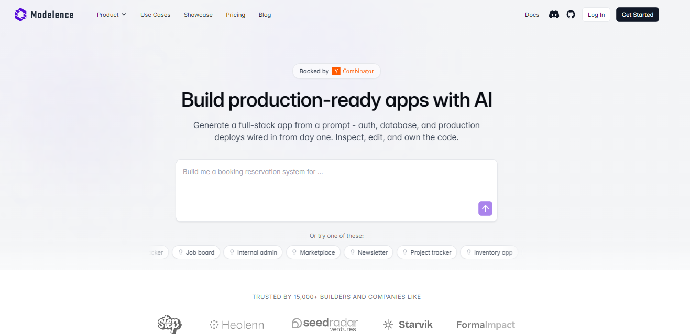
Best for: Full-stack web applications that need built-in infrastructure, monitoring, and code ownership.
Key features
- Generates the frontend, backend, database schema, authentication, and application logic
- Includes role-based access, scheduled jobs, logs, traces, and performance monitoring
- Supports sandbox and production environments
- Provides managed databases, backups, migrations, and indexing
- Produces open-source code that can be exported to GitHub or deployed elsewhere
Modelence is an AI full-stack app builder designed around production use rather than standalone interface generation.
Its database, authentication, monitoring, and deployment layers are part of the same framework, so builders do not have to connect separate services before launching.
Development experience: You describe the users, data model, features, and workflows in plain language, then refine the generated application through prompts or direct code changes. It suits semi-technical builders who understand what their app needs but do not code full-time.
Deployment and scaling: Modelence Cloud provides one-click deployment, separate sandbox and production environments, automatic Secure Sockets Layer (SSL), custom domains, load balancing, and autoscaling. Applications can also be self-hosted.
What users like: Independent review coverage is still limited, so there is not enough public review volume for a reliable rating. Customer examples published by Modelence emphasize the ability to move from an idea to a full production application without assembling the backend separately.
Limitations
- Focuses on full-stack web applications rather than native mobile development
- Has a younger ecosystem and smaller community than long-established platforms
- Provides more infrastructure than someone building a disposable mockup may need
Pricing and free tier: The Free plan includes managed databases and builder usage for prototyping. Starter costs $20 per month, while Pro costs $100 per month and adds dedicated databases, more production instances, and performance monitoring; cloud compute is billed separately according to the resources used.
Best fit: Founders and technical operators who want to own their code and run a custom web application without hiring a full development team.
2. Lovable
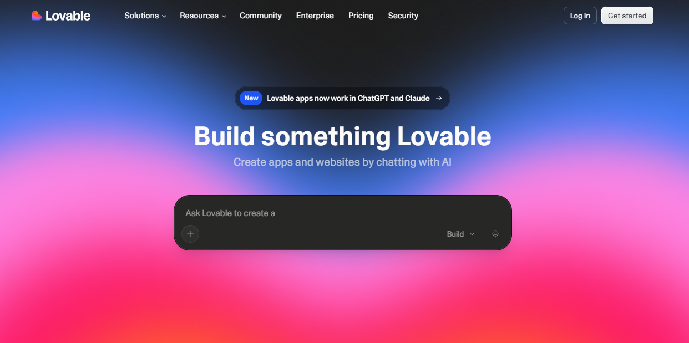
Best for: Quickly turning product ideas into polished SaaS interfaces and full-stack web applications.
Key features
- Prompt-based interface and workflow generation
- Built-in database, authentication, storage, edge functions, and AI through Lovable Cloud
- Two-way GitHub synchronization
- Visual editing alongside generated code
- Direct publishing and support for custom domains
Lovable Cloud uses Supabase’s open-source foundation and provides database tables, authentication, file storage, logs, serverless functions, and automatic scaling without requiring a separate Supabase account.
Development experience: Lovable is accessible to non-developers and works well for fast visual iteration. Technical users can connect GitHub, edit the repository locally, and sync changes back to Lovable.
Deployment and scaling: Projects can be published directly to a Lovable URL, with custom domains available on paid plans. Lovable Cloud scales its managed backend automatically, while teams that self-host become responsible for deployment automation, monitoring, SSL, and infrastructure security.
What users like: Lovable has a 4.6 out of 5 rating from 269 G2 reviews. Reviewers commonly praise its ease of use, design quality, and ability to turn ideas into working prototypes quickly.
Limitations
- Credit usage varies according to task complexity
- Building, cloud hosting, and AI features inside deployed apps can draw from the workspace balance
- The selected Lovable Cloud region cannot be changed after activation
- Complex backend or infrastructure requirements may require work outside the platform
Pricing and free tier: The Free plan includes daily build credits and monthly Cloud usage. Pro starts at $25 per month, or $21 per month billed annually. Paid plans use shared credit balances for generating, hosting, and running AI features rather than providing unlimited usage.
The Lovable price and plan details above were verified in July 2026.
Best fit: Founders who prioritize polished design and rapid SaaS development but still want GitHub access and the option to involve developers later.
3. Replit
Best for: Agent-led development in a full browser-based coding environment.
Key features
- Replit Agent for planning, building, testing, and debugging
- Built-in Structured Query Language (SQL) database and authentication options
- Browser integrated development environment (IDE) with direct access to the generated code
- Real-time collaboration
- Autoscale, reserved virtual machine, static, and scheduled deployments
- Expo support for cross-platform mobile projects
Replit combines its AI coding agent with a cloud development environment, database, publishing tools, and application monitoring.
Its managed SQL database includes schema tools and rollback support, while published-app monitoring shows uptime, logs, request durations, central processing unit (CPU) use, and memory use.
Development experience: Beginners can build through prompts, while developers can work directly in the editor, terminal, and repository. Existing projects can be imported from GitHub, Lovable, Bolt, Base44, Vercel, or ZIP files.
Deployment and scaling: Replit offers Autoscale deployments for variable web traffic, Reserved VM deployments for continuous workloads, Scheduled deployments for background jobs, and Static deployments for simple sites.
Publishing costs are usage-based and are deducted from the credits included with the subscription first; additional charges may apply after those credits are exhausted.
What users like: Replit has a 4.5 out of 5 rating from 346 G2 reviews. Users often praise the lack of local setup, rapid prototyping, easy sharing, and real-time collaboration.
Limitations
- Effort-based Agent pricing can make complex fixes difficult to budget
- Hosting, database, and Agent usage share the available credits
- Generated code may still require manual debugging as the project grows
- Replit Auth uses Replit-branded accounts unless the app uses its separate Clerk option
Pricing and free tier: Starter is free and includes limited Agent use, a database, and one published app. Core costs $25 monthly or $20 per month with annual billing, while Pro costs $100 monthly or $95 with annual billing.
The Replit prices above were verified in July 2026. Available offers and discounts may vary.
Best fit: Builders who want AI assistance without giving up a conventional coding workspace.
4. Bolt.new
Best for: Rapid JavaScript web and Expo mobile development inside the browser.
Key features
- Prompt-driven JavaScript and Node.js development
- Built-in Bolt Database with authentication and user management
- Server functions, secrets, storage, security checks, and database logs
- GitHub integration and downloadable code
- Built-in web hosting
- Expo-compatible mobile projects
Bolt.new is a browser-based IDE focused on JavaScript frameworks and Node.js backends. New projects can use Bolt Database automatically, while Supabase remains available as an alternative.
Development experience: The interface makes it easy to start from a prompt, inspect the preview, and switch to the underlying code. The platform works best in a Chromium desktop browser and does not support Python, PHP: Hypertext Preprocessor (PHP), or other non-JavaScript backends.
Deployment and scaling: Web apps can be published to a free Bolt-hosted domain, with custom domains available on Pro. Expo projects can target iOS and Android, but app-store builds still require Expo tooling and Apple or Google developer accounts.
What users like: G2 reviewers commonly praise Bolt’s approachable interface, fast setup, and ability to turn simple ideas into working applications. Some reviewers also report that debugging and repeated revisions consume tokens quickly.
Limitations
- Backends are limited to JavaScript and Node.js
- Credit consumption can rise during troubleshooting
- Mobile browsers are not fully supported for building
- Built-in analytics currently include crawler traffic and cannot separate it from human visits
Pricing and free tier: Free includes one million monthly tokens, website hosting, and built-in databases. Pro starts at $25 per month with ten million tokens, custom domains, increased hosting limits, and no Bolt branding.
The Bolt price and plan details above were verified in July 2026.
Best fit: Founders who want a fast full-stack JavaScript builder and may also need an Expo-based mobile version.
5. Base44
Best for: First-time builders who want the backend, database, authentication, and hosting managed in one place.
Key features
- Natural-language full-stack app generation
- Integrated database, authentication, analytics, and storage
- Visual editing and in-app code changes
- Backend functions and third-party integrations
- Built-in payment and user-management features
- GitHub integration on qualifying plans
Base44 includes its core database, authentication, and analytics functionality on the free plan. Custom backend functions, custom domains, model selection, and GitHub integration become available on Builder or higher.
Development experience: The platform is designed for non-developers and handles most infrastructure choices automatically. Its visual editor and prompt workflow reduce setup, although builders still need to test permissions, data relationships, and business logic carefully.
Deployment and scaling: Apps run on Base44’s managed infrastructure and can be published directly. The platform uses separate message and integration credits, so both development activity and live integrations affect plan capacity.
What users like: Base44 has a 3.8 out of 5 rating on G2, but the rating is based on only four reviews and should not be treated as a broad consensus. Positive reviews highlight how quickly it converts ideas into usable tools, while critical feedback mentions context loss, support, and repeated credit use.
Limitations
- Public independent review volume is still small
- GitHub integration and custom domains require Builder or higher
- Backend functions also begin on the Builder plan
- Message and integration credits can limit extensive iteration or high-activity apps
Pricing and free tier: Free includes 25 message credits and 100 integration credits monthly. Starter costs $20 monthly or $16 per month annually, while Builder costs $50 monthly or $40 per month annually.
The Base44 price and plan details above were verified in July 2026.
Best fit: Non-technical founders who want an all-in-one builder and prefer managed services over configuring their own stack.
6. v0 by Vercel
Best for: Polished React and Next.js interfaces that will be deployed through Vercel.
Key features
- Generates React, Next.js, TypeScript, Tailwind Cascading Style Sheets (CSS), and shadcn/ui applications
- Full editor with previews and agent-based changes
- Automatic GitHub branches, commits, and pull requests
- Backend and database integrations
- Security analysis for generated code
- One-click deployment to Vercel
v0 has expanded beyond an AI user interface (UI) generator into an agent that can build full-stack web applications and work with existing GitHub repositories. It remains particularly strong for interface-heavy projects in the Vercel and Next.js ecosystem.
Development experience: Non-developers can create interfaces through prompts and Design Mode, but technical knowledge becomes more useful when adding server logic, external databases, environment variables, or an existing repository.
Deployment and scaling: v0 publishes directly to Vercel with Hypertext Transfer Protocol Secure (HTTPS), global content delivery, caching, previews, performance metrics, and deployment monitoring. Code can be exported elsewhere, although the most integrated workflow uses Vercel.
What users like: Independent G2 or Trustpilot review data is limited, so there is not yet a reliable public rating comparable with Lovable, Replit, Bubble, or Softr.
Limitations
- Optimized primarily for modern JavaScript and Vercel workflows
- Complex backend systems still require external services or more technical implementation
- Credit use rises with longer prompts, larger codebases, and repeated generations
- The strongest deployment experience may increase dependence on Vercel
Pricing and free tier: Free includes $5 in monthly credits. Plus costs $30 per user monthly, and Business costs $100 per user monthly. The v0 price and plan details above were verified in July 2026.
Best fit: Product and engineering teams that already use React, Next.js, GitHub, and Vercel.
7. Bubble
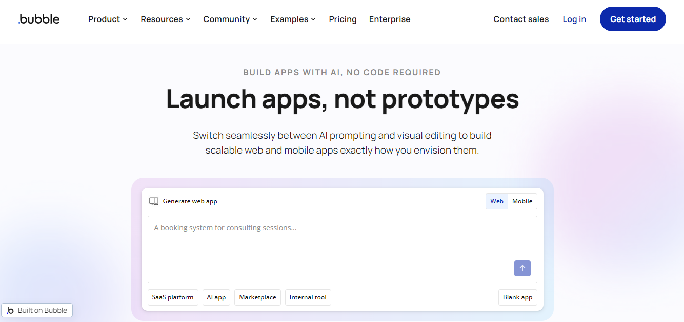
Best for: Complex web-app workflows built through a mature visual no-code system.
Key features
- Visual interface and workflow editor
- Built-in database and authentication
- Backend workflows and application logic
- Web and native mobile project options
- Large plugin and template ecosystem
- Server logs, backups, and workload controls on paid plans
Bubble has been used for no-code app development longer than most prompt-based AI builders.
It offers greater control over complex visual workflows, although users build through Bubble’s proprietary editor rather than receiving a conventional code repository.
Development experience: No traditional coding is required, but advanced database searches, reusable components, responsive design, privacy rules, and workflows have a substantial learning curve.
Deployment and scaling: Bubble hosts the application and scales it according to workload usage and the selected plan. Enterprise customers can use dedicated infrastructure, but all Bubble applications remain dependent on the Bubble runtime.
What users like: Bubble has a 4.4 out of 5 rating from 166 G2 reviews. Users praise its flexibility, community, learning resources, and ability to create sophisticated applications without code.
Limitations
- Application source code cannot be exported
- Moving away requires rebuilding the application logic
- Advanced features have a steep learning curve
- Workload-based pricing can become difficult to predict as usage grows
Pricing and free tier: The Free plan supports development but not a production launch. Web-only Starter costs $32 per month, or $29 per month billed annually; mobile-only Starter costs $49 per month, or $42 per month billed annually; and Web & Mobile Starter costs $69 per month, or $59 per month billed annually.
The Bubble price and plan details above were verified in July 2026.
Best fit: Non-developers who need complex workflows and are comfortable committing to Bubble’s hosted ecosystem.
8. Softr
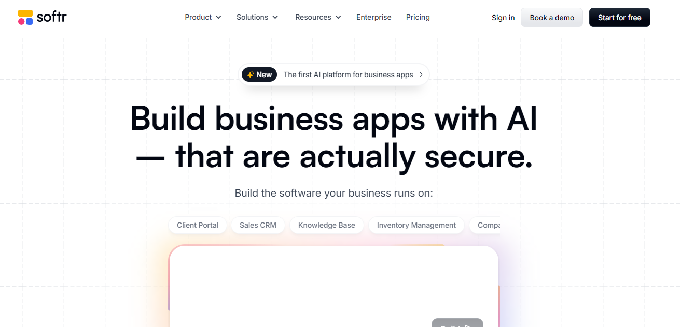
Best for: Client portals, internal tools, and business applications built on existing operational data.
Key features
- Block-based visual app builder
- Built-in Softr Databases
- Connections to Airtable, Google Sheets, and other data sources
- User groups and record-level permissions
- Forms, portals, dashboards, and workflow automation
- Hosted publishing without infrastructure setup
Softr focuses on business applications rather than unrestricted software development. It is especially effective for portals and internal tools that display, collect, and update structured data.
Development experience: The block-based editor has one of the lowest learning curves in this list. Its templates and predefined components reduce setup, but offer less design and logic freedom than code-generating platforms.
Deployment and scaling: Softr hosts the application, while plan limits control the number of users, records, workflow actions, and advanced integrations. Webhooks and application programming interface (API) actions begin on higher tiers.
What users like: Softr has a 4.7 out of 5 G2 rating, with more than 700 reviews. Users commonly praise its ease of use, Airtable integration, fast implementation, and support.
Limitations
- Full application source code cannot be exported
- Custom design and business logic have a lower ceiling than code-based tools
- User and database limits can make larger portals expensive
- It is not designed for unusual algorithms or deeply custom backend systems
Pricing and free tier: Free includes up to 10 app users, 1,000 records per app from standard data sources, and 5,000 Softr Database records. Basic costs $59 per month, or $49 per month billed annually, and supports up to 20 app users and 50,000 records per app.
The Softr price and plan details above were verified in July 2026.
Best fit: Operations teams that need to replace spreadsheets with a portal, dashboard, customer relationship management (CRM) system, or internal workflow.
9. Cursor

Best for: Developers who want AI to edit, explain, refactor, and extend a codebase they control.
Key features
- Visual Studio Code-based AI coding environment
- Codebase-aware chat and multi-file editing
- Agent workflows, autocomplete, and cloud agents
- Support for rules, skills, hooks, and Model Context Protocol connections
- Direct work inside the user’s repository
- Compatible with almost any language or framework supported by the development environment
Cursor differs from the other platforms because it is an AI coding IDE, not an all-in-one web app builder.
It does not create or manage the production database, authentication, hosting, or deployment infrastructure unless the developer adds those services.
Development experience: Cursor requires the most coding ability in this list. It works best when a developer already has a repository or is comfortable choosing frameworks, running commands, reviewing changes, and debugging generated code.
Deployment and scaling: Cursor does not host or scale the app itself. The application’s production readiness depends on the code, infrastructure, cloud provider, database, monitoring, and deployment process chosen by the developer.
What users like: Cursor has a 4.5 out of 5 rating from 67 G2 reviews. Users praise its codebase understanding, natural integration into the editor, multi-file editing, refactoring, and reduced need to switch between code and external documentation.
Limitations
- Not suitable for someone who cannot inspect or debug code
- Does not include a production database, authentication, hosting, or monitoring
- AI-generated changes still require technical review
- Heavy Agent usage may exceed the allowance included in the subscription
Pricing and free tier: Hobby is free with limited Agent requests and access to Composer. Pro costs $20 per month and includes extended Agent limits and access to frontier models. On-demand usage is available after the included usage is consumed.
The Cursor price and plan details above were verified in July 2026.
Best fit: Developers or technical teams that want AI acceleration while retaining complete control over their stack, repository, and infrastructure.
Which AI Web App Builder Fits Your Build
Choosing an AI web app builder is easier when you start with the type of product you need rather than comparing every feature across every platform.
| Your Situation | Best Pick and Why |
|---|---|
| You need a prototype to show someone this week | Lovable or Bolt.new for fast prompt-based building and polished previews |
| You are building a consumer SaaS with logins and payments | Modelence, Lovable, or Replit for full-stack development with authentication and backend support |
| You need an internal tool connected to Airtable or Google Sheets | Softr for portals, dashboards, and workflows built on existing business data |
| The app has complex rules, but you are not a developer | Bubble for advanced visual workflows without traditional coding |
| You already have a backend and mainly need the interface | v0 by Vercel for React and Next.js interface generation |
| The app needs to appear in the Apple App Store or Google Play | Bolt.new or Replit for projects built through Expo, although publishing still requires developer accounts and mobile testing |
| You are a developer working inside an existing codebase | Cursor for AI-assisted editing, refactoring, debugging, and multi-file changes |
| You expect the app to still be running and earning in two years | Modelence for built-in monitoring, managed infrastructure, exportable code, and the option to self-host |
The best AI app builder for a SaaS product may not be the best choice for an internal portal or quick prototype.
Match the platform to the app’s data, workflows, deployment needs, and the technical ability of the person maintaining it.
For an app expected to remain in production for years, code ownership and monitoring stop being optional. They determine whether you can diagnose problems, change providers, and keep developing the product without rebuilding it.
AI Web App Builders vs. Custom Development: Two Paths
An AI web app builder can shorten the path from an idea to a working first version, while custom development provides greater control over architecture, technology choices, and unusual requirements.
The main tradeoffs are:
| Factor | AI Web App Builder | Custom Development |
|---|---|---|
| Initial timeline | Often days or weeks for a suitable app | Commonly weeks or months |
| Upfront cost | Lower, usually subscription and usage-based | Higher, based on developer or agency time |
| Technical skill | Varies from prompt-based to developer-focused | Requires professional development skills |
| Customization | Strong for familiar workflows and supported stacks | Limited mainly by budget, time, and technical feasibility |
| Maintenance | Depends on the platform’s monitoring, code access, and infrastructure | Handled by an internal team or external developers |
| Ownership | Varies by platform | Usually full ownership if the contract provides it |
| Best use | Minimum viable products (MVPs), portals, SaaS products, dashboards, and internal tools | Novel, regulated, highly specialized, or mission-critical systems |
Low-code development is no longer limited to simple internal tools.
Gartner forecast that 70% of new enterprise applications would use low-code technologies by 2025, reflecting the shift toward faster and more accessible development methods.
The difficult part is no longer producing the first prototype. Production applications still need:
- Secure authentication and permissions
- A structured and scalable database
- Testing and security review
- Monitoring and error visibility
- Reliable deployment and background processing
- Code that can be maintained or transferred
Custom development remains the better option when an app uses novel algorithms, heavy real-time processing, strict regulatory controls, or infrastructure that must be tailored from the beginning.
Modelence offers a middle path: AI-assisted development with a built-in database, authentication, scheduled jobs, monitoring, managed deployment, and exportable open-source code.
This combines faster development with the option to inspect, extend, self-host, or hand the application to developers later.
You Should Test the Web App Builder Before You Fully Commit
Test an AI web app builder with a small but realistic version of your project before paying for a long-term plan or moving the entire build onto it.
Choose a test that includes more than a landing page. Ask the platform to create:
- User registration and sign-in
- Two roles with different permissions
- A connected database with several related records
- A form that creates and updates data
- One scheduled task or automated workflow
- An error you can identify and troubleshoot
- A production deployment or code export
During the test, check:
- Build quality: Does the generated app behave as requested?
- Correction cost: How many credits or prompts does one mistake take to fix?
- Error visibility: Can you see what failed, or do you have to guess?
- Data control: Can you inspect, export, and back up the database?
- Code ownership: Can you download or transfer the application?
- Production costs: What will hosting, usage, and external services cost after launch?
- Maintainability: Could you or another developer continue working on it later?
A polished preview is not enough. The test should show how the platform handles data, permissions, failures, deployment, and ongoing changes.
Modelence offers a free plan with App Builder usage, a managed database, file storage, and a Modelence subdomain, allowing you to test the build process before moving to a production plan.
Frequently asked questions (FAQs)
Which AI web app builder should I move to if my Lovable or Bolt project keeps breaking?
Choose a platform with built-in monitoring, clearer error visibility, and exportable code, such as Modelence, or move the project to a developer-focused environment you can maintain.
Can I move an app off Bubble, Softr, or Base44 later, or am I stuck?
It depends on the platform, as builders with exportable code are easier to leave while proprietary systems may require a partial or complete rebuild.
Are apps built by AI safe enough to take payments and hold customer data?
They can be, but permissions, authentication, dependencies, data handling, and payment flows must be tested rather than trusted by default.
Do I need a developer to keep an AI-built app running after launch?
Not always, although complex integrations, security reviews, performance problems, and unfamiliar failures may still require technical help.
What happens to my app if the platform I built it on shuts down?
Exportable code and data let you migrate the app, while a closed platform may leave you rebuilding it elsewhere.
Which AI web app builders include a database instead of asking me to connect Supabase?
Modelence, Lovable, Replit, Bolt.new, Base44, Bubble, and Softr include or offer a managed database, while v0 and Cursor generally require a separate backend setup.
How much should I expect to spend a month once the app has real users?
Expect the subscription price plus usage-based costs for hosting, databases, storage, AI, email, and other services required by the app.
Related articles