TL;DR
Key takeaways
- A production deploy needs a backend process that stays running, a managed database with backups, and secrets stored outside the repository.
- Claude Code, Cursor and Codex can write the deployment config and run the deploy command, and by default they ask before running commands that reach the network.
- Frontend hosts run server code as time-limited functions, with Vercel capping Hobby functions at 300 seconds and Netlify capping synchronous functions at 60 seconds.
- Render and Heroku discard files written to a container's local disk on redeploy or restart, so a SQLite database stored there loses its data.
- Database migrations should run once against the production database before the new version takes traffic, never in the start command of every container.
Ask AI about this post:
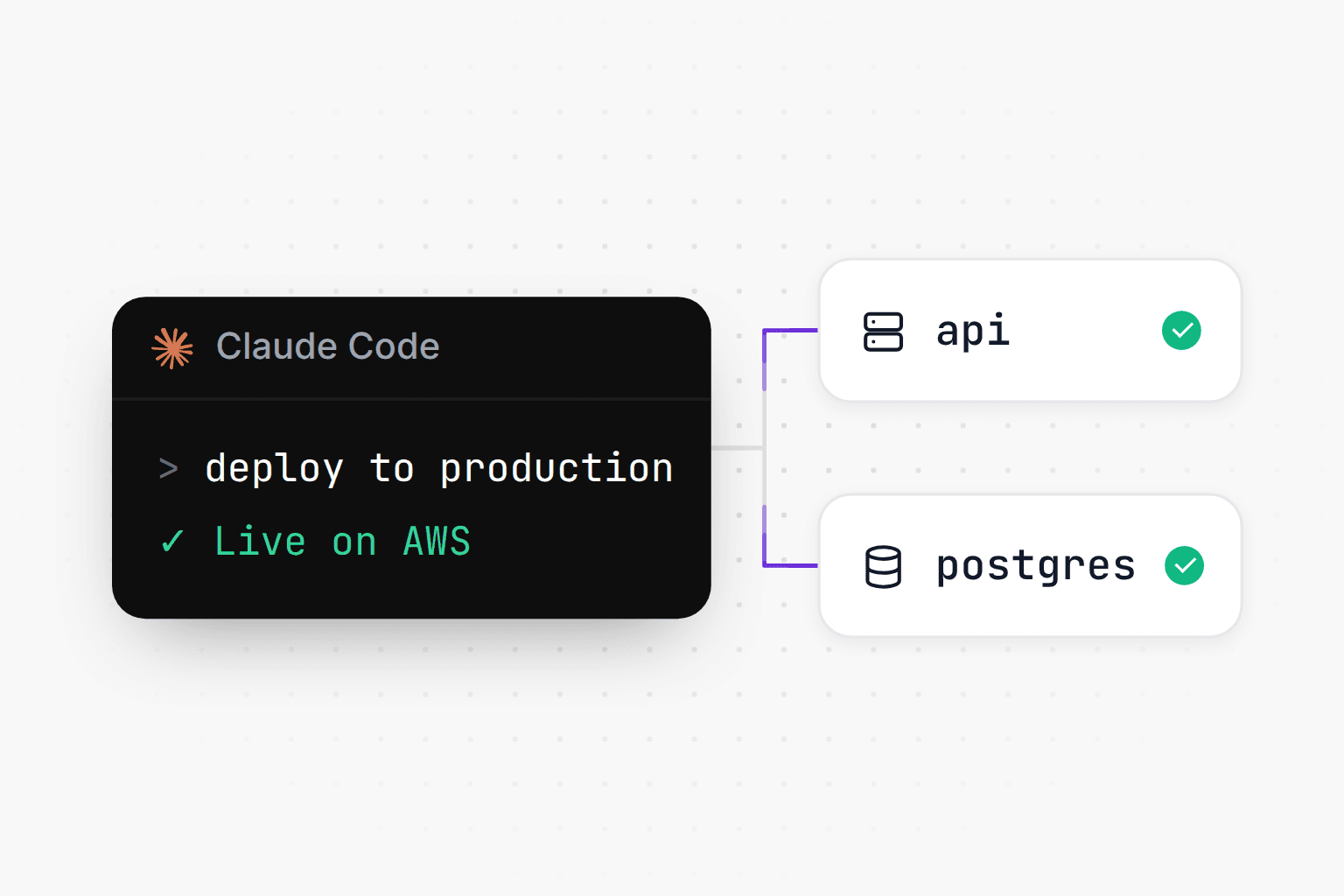
To deploy a Claude Code app to production, you need a host that keeps your backend running around the clock and a managed database with backups, plus secrets stored outside the repository. The fastest way to get there is to let your coding agent do the setup: give it the host's deployment instructions, let it write the config and run the deploy, and step in only to sign in and enter secret values. This guide covers what production actually requires and how the hosting options compare as of November 2026, then walks through the agent-led deploy step by step and the problems that most often show up after launch.
What does it take to deploy a Claude Code app to production?
Running npm run dev on your laptop hides most of what production needs. The dev server restarts on every save, the database is a local file or container, API keys sit in a .env file, and every URL points at localhost. A production deploy replaces each of these with something that survives restarts and real traffic:
- A persistent backend process. Something has to run your server continuously, restart it when it crashes and add copies under load. WebSockets, streamed AI responses and agents that work for minutes all need a process that lives longer than one request.
- A managed database with backups. Postgres, MongoDB or Redis run by the host or a database provider, with automatic snapshots and a tested way to restore them.
- Secrets and environment variables. API keys and connection strings set in the host's settings for each environment and never committed to the repository.
- A custom domain with TLS. A DNS record that points at the host and an HTTPS certificate that renews itself. Most hosts issue certificates for you.
- Background and scheduled jobs. Emails, syncs and cleanups that run on a timer or from a queue, outside the request path.
- Logs and monitoring. A place to read what the app printed when it failed, and an alert that fires when it's down before your users notice.
- Health checks and rollback. The host should send traffic to a new version only after it answers a health check, and you should be able to go back to the previous version quickly.
Apps built with a coding agent usually have the code for all of this, or can get it in a few prompts. The infrastructure underneath is what you're choosing when you pick a host.
Where to host a Claude Code app: the realistic options
There are four broad paths. They differ mostly in how long your code can run, where the database lives and how much of the operating work stays with you.
Frontend hosts plus a separate backend (Vercel, Netlify)
Vercel and Netlify serve static assets from a CDN and run server code as functions that start per request. That suits a frontend with light API routes. Longer work runs into limits: Vercel functions have a maximum duration of 300 seconds on Hobby and 800 seconds on Pro, and Netlify's synchronous functions stop at 60 seconds, with background functions allowed up to 15 minutes. Vercel cron jobs on Hobby can run at most once a day, and the run can land anywhere within the scheduled hour. As of November 2026, Vercel also has container functions and always-on workers called Daemons in beta. The database comes from a separate provider such as Neon or Supabase.
A common setup keeps the frontend on Vercel and moves the backend to a host that runs long-lived processes. That works well, with the cost of two deploys and two sets of environment variables. Our Vercel comparison and Vercel pricing breakdown go deeper on where the line falls.
Platform-as-a-service (Railway, Render, Fly.io, Heroku)
A PaaS runs your app as a long-lived container built from a repository or Dockerfile, with databases, workers and cron jobs available next to it. This is the most common next step for people who outgrow a frontend host.
- Railway has a Hobby plan at $5 a month with $5 of usage included and a Pro plan at $20 with $20 included. Cron services start on a schedule at least five minutes apart and are expected to exit when the task finishes. A service can have one volume for persistent files, and a service with a volume can't run replicas and has a brief outage on redeploy. Health checks gate a new deployment but aren't used for monitoring after it goes live.
- Render paid instances start at about $7 a month and stay running. Free web services spin down after 15 minutes without traffic, and free Postgres databases expire 30 days after creation. The filesystem is ephemeral by default, and attaching a persistent disk limits the service to one instance and turns off zero-downtime deploys. Paid Postgres gets point-in-time recovery for the past 3 days on the Hobby workspace plan and 7 days on Pro.
- Fly.io runs containers as Machines in the regions you pick. The smallest shared-CPU Machine costs about $2.19 a month, new organizations get a small trial credit instead of a free tier, and Managed Postgres starts at $38 a month.
- Heroku Eco dynos cost $5 a month and sleep after 30 minutes of inactivity, Basic dynos are $7, and the smallest Heroku Postgres plan is $5. Files written to a dyno are discarded on every restart. In February 2026 Heroku moved to what it calls a sustaining engineering model, focused on stability and security rather than new features.
These platforms keep your containers running. Alerts, uptime checks and confirming that each scheduled job actually ran are things you set up and watch yourself. If you're already on Railway, see the Railway migration guide.
Running it on AWS yourself
AWS gives you the most control and the longest setup. App Runner stopped accepting new customers on April 30, 2026, and AWS now recommends ECS Express Mode, which turns a container image into a Fargate service with a load balancer, HTTPS and autoscaling. The database, secrets and scheduled jobs come from separate services, typically RDS, Secrets Manager and EventBridge Scheduler, each with its own IAM permissions. Your coding agent can write the Terraform or CDK for all of it, and you still own upgrades, alarms and backup restores afterwards. The Railway to AWS guide maps out each piece.
Modelence
Modelence runs your backend, databases and scheduled jobs on AWS, in the region you choose out of 17, and your coding agent sets it up from one config file. Managed Postgres, MongoDB and Redis databases run next to the app in its region, and production databases are snapshotted at least every six hours. A new version takes traffic only after it passes health checks, and a version that keeps crashing is rolled back automatically. On Pro and above, Modelence also operates the app 24/7, restarting crashed processes and adding capacity under load. There is a Free plan, and Starter is $20 a month with $20 of usage included (see pricing and infrastructure).
Hosting options compared
| Option | Long-running backend | Databases | Scheduled jobs | Starting price (Nov 2026) |
|---|---|---|---|---|
| Vercel / Netlify | Functions with time limits (Vercel 300s on Hobby, 800s on Pro; Netlify 60s synchronous) | From a separate provider | Vercel cron (daily on Hobby), Netlify scheduled functions (30s limit) | Free tiers; Vercel Pro $20 per developer seat |
| Railway | Yes, containers | Database services deployed next to the app | Cron services, 5-minute minimum interval | Hobby $5/mo with $5 usage |
| Render | Yes, containers | Managed Postgres, point-in-time recovery on paid plans | Cron jobs, $1/mo minimum each | Paid instances from about $7/mo |
| Fly.io | Yes, Machines | Managed Postgres from $38/mo | Scheduled Machines (hourly, daily, weekly, monthly) | Pay as you go, smallest Machine about $2.19/mo |
| Heroku | Yes, dynos | Heroku Postgres from $5/mo | Scheduler add-on (every 10 min, hourly or daily) | Eco $5/mo (sleeps), Basic $7/mo |
| AWS (ECS Express Mode) | Yes, Fargate | RDS, set up separately | EventBridge Scheduler | Pay per AWS resource |
| Modelence | Yes, containers on AWS | Managed Postgres, MongoDB and Redis in the app's region | Scheduled jobs, each run tracked | Free plan; Starter $20/mo with $20 usage |
How to deploy with your coding agent, step by step
Claude Code reads your codebase, edits files and runs commands, and Cursor's Agent and Codex can do the same. That makes deployment a good fit for them, since most of the work is figuring out how the project builds and writing a config file the host understands. They need the right instructions, your approval to run commands, and your account.
Expect permission prompts along the way. By default Claude Code asks before it runs a shell command or fetches a page outside a small set of preapproved documentation sites. Codex works inside a sandbox and asks when a command needs to go beyond it, such as reaching the network, and Cursor's default mode runs commands in a sandbox with network access blocked and sends the rest through an automatic review. The deploy command is the step that talks to the outside world, so that's where the agent will usually stop and ask.
1. Have the agent audit the project
Start with a pass that finds the things that only break in production. A prompt like this works in any agent:
Before we deploy, check this project for production problems: hardcoded
localhost URLs, a dev server in the start script, a port that ignores the
PORT environment variable, secrets committed to the repo, data kept in
memory or in a local SQLite file, and database changes that only exist on
my machine. List what you find, then fix it.
2. Give it the host's deployment instructions
Agents do much better with current written instructions than with what they remember about a platform, because hosting docs change often. Paste the URL of the host's deployment guide, or a file written for agents if the host provides one, and ask the agent to follow it.
3. Let it write the config and test the build locally
Depending on the host, the agent writes a Dockerfile, a platform config file or both. Ask it to run the exact build and start commands from that file on your machine before deploying, with PORT set the way the host will set it. A build that fails locally will fail the same way on the host, and it's much faster to fix here.
4. Enter secrets through the host
The agent should declare which variables the app needs and leave the values to you. Enter them in the host's dashboard or CLI prompt rather than pasting them into the chat, so they don't end up in a transcript. Anything a frontend bundler inlines, such as VITE_* or NEXT_PUBLIC_* variables, ends up in the browser, so only public values belong there.
5. Deploy, then check the platform URL
Let the agent run the deploy and follow the build logs. When it finishes, open the app on the host's default URL, sign up as a new user and click through the main flows. Check the logs for errors while you do.
6. Run migrations, then point the domain
Run database migrations once against the production database before real users arrive. Then add your custom domain in the host's settings, create the DNS record it gives you and wait for the certificate. Update OAuth redirect URLs and webhook endpoints in services like Stripe and Google to the new domain at the same time.
Example: deploying to Modelence with one prompt
On Modelence the flow starts with a single line pasted into your coding agent:
Deploy using https://modelence.com/skill.md
The skill file sends the agent to the current deploy guide in the Modelence docs and tells it to stop and ask you whenever a step needs your account or your decision. The agent works out how the project builds and starts, fixes things like a hardcoded port, writes modelence.config.json at the project root and runs the build and start commands locally to check them. For an app with an API, a background worker, Postgres, Redis and a Stripe key, the file looks like this:
{
  "resources": {
    "api": {
      "type": "service",
      "build": { "commands": ["npm run build"] },
      "start": { "commands": ["npm start"] }
    },
    "worker": {
      "type": "service",
      "start": { "commands": ["npm run worker"] }
    },
    "postgres": { "type": "postgres" },
    "redis": { "type": "redis" }
  },
  "env": {
    "STRIPE_SECRET_KEY": { "type": "secret" }
  }
}
Then the agent runs npx modelence@latest deploy. Your browser opens so you can sign in, pick or create the app and environment, and enter values such as STRIPE_SECRET_KEY, which never pass through the chat. The first deploy creates the databases in your app's region and hands their connection strings to the app as environment variables. Once the app works on its Modelence URL, you add your domain and the TLS certificate is issued for you. More detail is on the deployment and databases pages.
Example: the same flow on another host
The pattern carries over to any container host. For Render, a prompt like this covers most of the setup:
Read https://render.com/docs/blueprint-spec and write a render.yaml for
this app with a web service, a background worker and a Postgres database.
Write a production Dockerfile that listens on $PORT. Don't put secret
values in either file; list the variables I need to set in the dashboard.
On Fly.io the equivalent file is fly.toml, and on Railway it's railway.json or railway.toml. If you're going to AWS, ask for a Dockerfile plus Terraform or CDK for the service, the database and the secrets, and review the plan output before anything is created.
What breaks when an agent-built app goes to production
Most launch-day failures come from a short list of habits that are harmless on a laptop. Each one has a direct fix your agent can apply.
State kept in memory
Sessions, rate-limit counters and job queues stored in a variable disappear on every restart, and with two or more instances each one holds a different copy. Move anything that has to survive into Redis or the database.
SQLite on an ephemeral disk
Render and Heroku discard files written to the container's disk on redeploy or restart, so a SQLite database there resets to empty. Use a managed database instead. A persistent disk is the other option, and on Render it limits the service to a single instance without zero-downtime deploys.
Secrets committed to the repository
Agents sometimes write keys straight into config files or commit a .env file. Rotate any key that was ever committed, move it to the host's environment settings and add .env to .gitignore. Our security testing checklist covers the rest of the review.
Localhost URLs and hardcoded ports
A server that listens on port 3000 or binds to 127.0.0.1 never receives traffic on most hosts. Read the port from the PORT variable, bind to all interfaces and take every base URL, such as the API URL and the OAuth callback, from environment variables.
Missing migrations
Tables created by hand or with a schema push on your machine don't exist in a new production database. Commit migration files and run them once against production before deploying. Keep them out of the container start command, because every container runs it on every start, and during a rollout several run at once.
No health check
Without one, most hosts send traffic to a new version as soon as the process starts, even if it can't reach the database. Add a /health endpoint that checks the database connection and point the host's health check at it.
Scheduled jobs inside the web process
When the web server runs on several instances, a timer inside it fires once per instance, so emails go out twice. Run jobs in a separate worker service, or hold a lock in the database so only one instance runs each job.
A dev server as the start command
vite, next dev and nodemon are built for local development. Build the app and start it with the production command, such as next start or node dist/server.js, or serve a pure frontend as static files.
Production checklist for a Claude Code app
Go through this list before you point your domain at the new deploy:
- The app starts with a production command and listens on the port the host provides.
- Every secret is set in the host's environment settings, and none are in the repository or its git history.
- The database is managed, backed up automatically, and you have restored a backup at least once.
- Migrations have run against the production database.
- No state that matters lives in memory or on the container's local disk.
- A health check endpoint exists, and the host waits for it before sending traffic to a new version.
- Each scheduled job runs once per schedule, in a worker or behind a lock.
- Logs are readable from the host, and an alert tells you when the app is down.
- You know how to roll back to the previous version.
- OAuth redirect URLs, webhook endpoints and CORS origins use the production domain.
- The custom domain serves HTTPS and the platform URL still works.
- A separate staging or sandbox environment exists for trying changes before users see them.
Keep the config file and this checklist in the repository, and ask your agent to repeat the audit before larger releases, since new features tend to bring new environment variables and new jobs. For apps that are starting to grow, how to build scalable web applications covers what changes next.
Frequently asked questions (FAQs)
How do I deploy an app built with Claude Code?
Pick a host that runs your backend as a persistent process and offers a managed database, then give Claude Code that host's deployment instructions. The agent writes the config file, checks the build locally and runs the deploy command, while you sign in and enter secrets. Before pointing your domain, check the app on the platform URL and run your database migrations.
Can Claude Code deploy my app by itself?
Claude Code can read your project, write a Dockerfile or platform config and run the deploy command in your terminal. By default it asks for your approval before running shell commands, and you still need to sign in to the host and provide secret values. Most of the work is automated, and the account and secrets steps stay with you.
Where should I host an app built with Claude Code or Cursor?
It depends on what the app does. A static frontend fits well on Vercel or Netlify, while an app with a long-running backend, background jobs or WebSockets needs a container host such as Railway, Render, Fly.io, AWS or Modelence. Compare who runs the database, how scheduled jobs work and who watches the app after launch.
Can I deploy a full-stack app from Cursor to Vercel?
Yes, Vercel runs the frontend and API routes as functions, and Cursor's agent can set up the project and run the Vercel CLI. Functions have a maximum duration of 300 seconds on Hobby and 800 seconds on Pro, so long-running workers and persistent connections usually go to a separate backend host. The database comes from a provider such as Neon or Supabase.
Why does my app work locally but break after deploying?
The usual causes are a hardcoded port or localhost URL, missing environment variables, a database that has no tables because migrations never ran, and data kept in memory or on a local disk that the host wipes on restart. Read the deploy logs first, since the error is almost always printed there. Then ask your coding agent to audit the project for these issues.
Is SQLite OK for a production app built with an AI coding agent?
Only if the database file sits on a persistent disk that survives redeploys, and on many hosts that limits you to a single instance. Render and Heroku use ephemeral filesystems by default, so a SQLite file written there is lost on the next deploy or restart. A managed Postgres, MongoDB or Redis database with automatic backups avoids the problem.
How do I keep API keys safe when an agent deploys my app?
Store keys in the host's environment variable settings rather than in the repository or the chat with your agent. Declare the variable names in config, and enter the values in the host's dashboard or browser prompt. If a key was ever committed, rotate it, because removing it from the latest commit leaves it in git history.
How much does it cost to host an app built with Claude Code?
Small apps can start for a few dollars a month. As of November 2026, Railway's Hobby plan is $5 a month with $5 of usage included, Render's paid instances start at about $7 a month, and Heroku's Basic dyno is $7 plus $5 for the smallest Postgres. Modelence has a Free plan, and Starter is $20 a month with $20 of usage included.
Related articles