TL;DR
Key takeaways
- On a PaaS, the platform secures the infrastructure and its own internal systems, while the app owner secures their own code, secrets and account access.
- Most hosting and SaaS incidents from 2024 to 2026 ended with customers rotating credentials, because stored secrets were what attackers went after.
- Before trusting a host, check how it keeps customers apart and protects stored secrets, then read how it has handled past incidents.
- A secret you can rotate in minutes is far less dangerous than one that takes a week of coordination, so keep an inventory of every key and where it is used.
- Under GDPR the app owner remains the data controller, so notifying regulators and users after a host's breach is still the app owner's job.
Ask AI about this post:
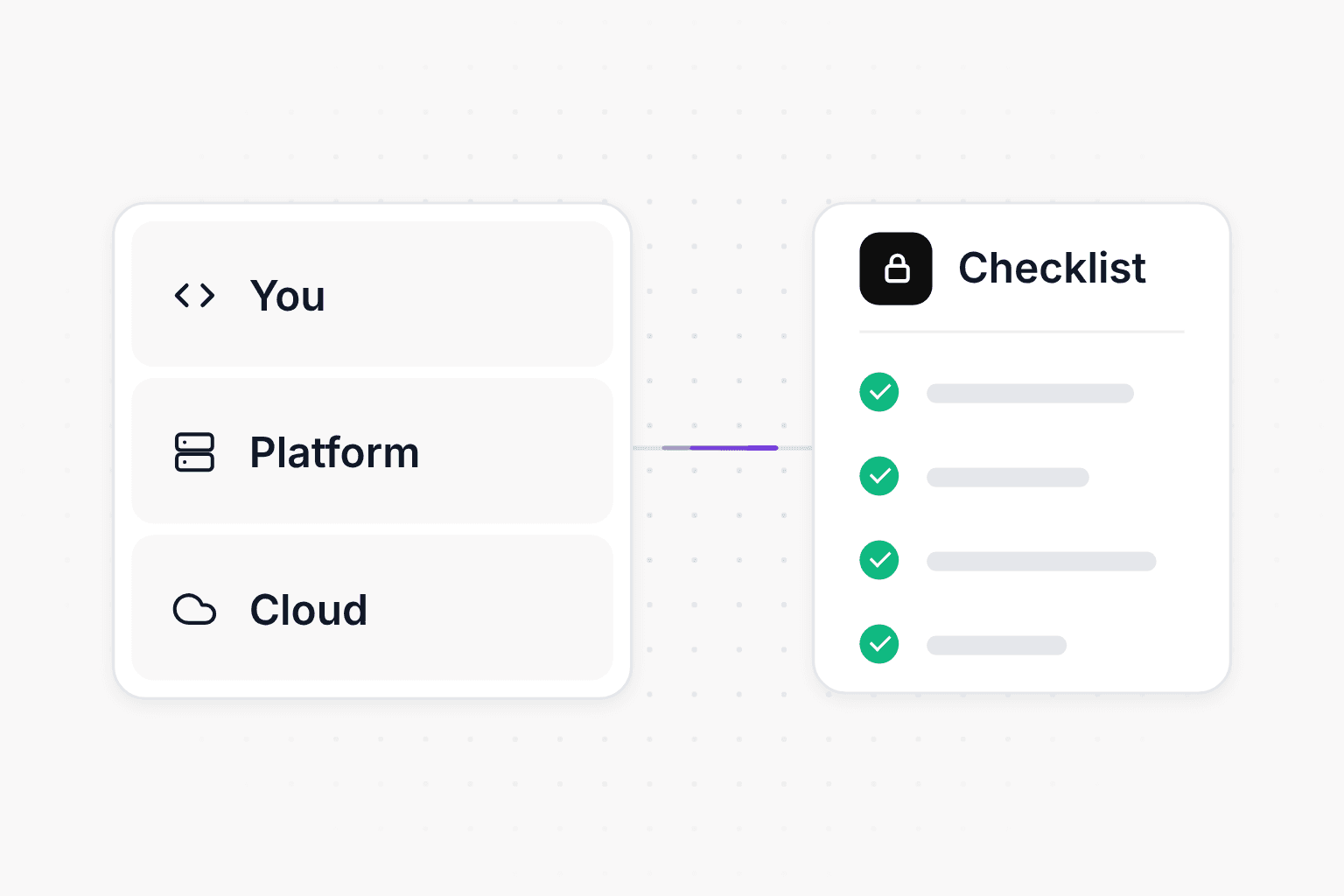
Cloud hosting security is split between two parties. The platform secures the infrastructure your app runs on along with its own internal systems, and you secure what you put on it: your code, your secrets and who can access your account. Before you trust a host with your app and your users' data, check how it isolates customers from each other, how it protects data and secrets, and how it handles backups and incidents. This guide covers each of those checks, the work that stays on your side, and a rotation checklist for the day your host reports an incident.
Why hosting security is getting more attention
Security incidents at hosting platforms and developer tools are now common enough that most teams will be affected by one eventually, directly or through a connected service. A few verified examples from the last two years show the pattern:
- Snowflake customer accounts (2024). Mandiant and Snowflake notified about 165 organizations whose Snowflake instances were accessed with credentials stolen by infostealer malware. Mandiant found no breach of Snowflake's own environment. The accounts lacked multi-factor authentication, and some credentials had gone unrotated for years.
- tj-actions/changed-files (March 2025). A widely used GitHub Action was modified to expose CI secrets such as cloud access keys and npm tokens. CISA told affected teams to treat every exposed secret as compromised and rotate it.
- Salesloft Drift (August 2025). Attackers used stolen OAuth tokens from a third-party integration to export data from Salesforce customer instances, then searched that data for AWS keys, passwords and Snowflake tokens.
- Shai-Hulud npm worm (September 2025). A self-replicating worm compromised more than 500 npm packages and harvested GitHub tokens and cloud API keys from the machines that installed them.
- Vercel (April 2026). A compromise of a third-party AI tool used by an employee led into Vercel's internal systems, where the attacker read environment variables that were not marked as sensitive for a subset of customers.
- Railway (October 2026). An attacker broke out of Railway's build isolation and obtained a credential for its key management service. Railway's incident report says environment variables were decrypted in at most about 1.85% of workspaces, and it published guides for rotating affected keys.
- AI developer platforms (October 2026). Wiz counted at least nine AI developer and hosting platforms that disclosed incidents in a single month, with attackers hunting for stored environment variables, especially AI provider keys.
Across these incidents, the attackers wanted credentials more than the apps themselves, and the customers who recovered fastest were the ones who knew where their secrets were and could rotate them quickly. A good host lowers the odds of a breach, and your own preparation decides how much a breach costs you.
What is the shared responsibility model for PaaS?
The shared responsibility model is the split of security duties between a cloud provider and its customer. AWS describes its side as security "of" the cloud, meaning the infrastructure that runs its services, and the customer's side as security "in" the cloud, which depends on the services the customer picks. On a raw virtual machine you patch the operating system and configure the firewall yourself. On a managed service the provider runs the infrastructure layer and you mostly manage your data and permissions.
A platform as a service (PaaS) sits on top of that. The PaaS is usually itself a customer of AWS, Google Cloud or Azure, and it takes over more layers for you, including the container runtime, the build system and TLS termination. That makes PaaS security a three-party arrangement: the underlying cloud, the platform, and you. The table below shows a typical split.
| Area | The platform secures | You secure |
|---|---|---|
| Physical infrastructure and cloud account | Data centers, hardware, the platform's own cloud accounts | Choosing a host and a region |
| Tenant isolation | Keeping your containers, builds and data apart from other customers | Asking how it is done |
| Runtime and OS | Base infrastructure, orchestration, kernel patches | Your Dockerfile base image and language runtime versions |
| Network | TLS for your domains, edge protection, database endpoints | Which services and databases you expose |
| Data | Encryption at rest, backups of managed databases | What data you collect, access rules inside your app |
| Secrets | Encrypted storage, staff access controls, audit logging | What you store, how narrowly each key is scoped, rotation |
| Identity | Login, MFA and SSO options, API tokens | Turning on MFA, team membership, revoking old tokens |
| Code and dependencies | Nothing | All of it |
| Incidents | Detecting and disclosing platform incidents | Rotating your credentials, notifying your own users |
There is also a legal layer. Under GDPR, you are the controller for your users' personal data and the host is your processor. The processor must tell you about a breach without undue delay, and you must notify your supervisory authority within 72 hours of becoming aware of it, unless the breach is unlikely to put people at risk. A host's breach can therefore become your reporting obligation, which is a good reason to read the host's DPA before you need it.
What to check before trusting a host with your app
These are the questions worth answering before you move production data to a platform. Most of them can be answered from the host's security page, DPA and status history. If the answer is not published, ask support, and treat a vague reply as information too.
Isolation between tenants
Every PaaS runs many customers on shared machines, so the boundary between your workload and the next customer's is the most important control the host has. Ask whether workloads run in containers, micro-VMs or dedicated virtual machines, and whether databases are dedicated per customer or shared with logical separation. Build systems deserve their own question, because builds run untrusted code from every customer and often hold credentials for registries and source control. Look for builds that each run in a fresh, short-lived environment with narrowly scoped credentials.
Encryption at rest and in transit, including database connections
Encryption at rest is standard on major clouds, so the useful questions are about coverage: whether it includes backups and snapshots, and who controls the keys. Encryption in transit is where gaps tend to show up, because TLS on your public domain is normal while the connection from your app to its database may not be encrypted. For PostgreSQL, a connection string with sslmode=verify-full both encrypts the connection and verifies the server. MongoDB connection strings use tls=true (the mongodb+srv format turns it on by default), and most Redis clients use the rediss:// scheme for TLS. If the connection string your host hands you has none of these, ask why.
Secrets management
Environment variables are where most of your sensitive values live, from database passwords to AI provider keys. Ask how the host stores them and who can read them back. Good answers include encryption with a key management service, decryption limited to the service that injects them into your app, and logging of every read. Look for write-only or "sensitive" variables that cannot be viewed in the dashboard after you save them, and for separate values per environment so a staging leak does not expose production.
Access control, SSO and audit logs
Your account is an attack path too. Check that the host supports MFA with an authenticator app or passkey, that team members can have roles narrower than full admin, and that API tokens can be scoped and given an expiry. SSO becomes worth having once your team grows. An audit log that records who changed a variable, invited a member or triggered a deploy is what lets you answer "did anything happen in our account" after an incident.
Backups and tested restores
Find out how often production databases are backed up and how long the backups are kept. Check that backups are encrypted and whether point-in-time recovery is available, then find out how a restore actually happens and how long it takes. A backup you have never restored is an assumption, so run one restore into a separate environment before you depend on it.
Network exposure of databases
Some platforms connect your services to their databases over a private network. Others give the database a public hostname, sometimes through a TCP proxy, so tools outside the platform can connect. With a public endpoint, the password, TLS and any IP allowlist are what stand between the internet and your data. The Snowflake campaign succeeded partly because affected accounts had no network allowlists. Check which model your host uses, whether public access is on by default, and whether you can restrict source IPs.
Incident response and status transparency
Read the host's status page history and any past postmortems. You are looking for evidence that the company detects problems itself, communicates while an incident is still running, and publishes a root cause afterward. Also check the DPA for a breach notification commitment and the security page for a way to report vulnerabilities.
Compliance: SOC 2, DPA, subprocessors and data region
If you sell to larger companies, their security reviews will ask about your host. A SOC 2 Type II report shows an auditor tested the host's controls over a period of months. A DPA should come with a published subprocessor list and a notice period before new subprocessors are added. Data region matters for customers in the EU and for latency, so confirm that the app, its databases and its backups all stay in the region you pick.
The underlying cloud
Most platforms run on a large cloud provider, and some run their own hardware. The underlying cloud determines which physical and environmental controls you inherit and which regions are available. Keep in mind that the cloud provider's certifications cover its own layer, while the platform's build system, control plane and secret storage are covered only by the platform's own controls.
What you are responsible for on your side
The host can do everything right and your app can still leak data through a vulnerable dependency or a key committed to a repository. These are the parts of PaaS security that stay with you on any host.
Scope, separate and rotate your secrets
Give every key the smallest set of permissions it needs: a payment key restricted to the operations your app performs, a cloud key limited to one bucket, a database user without admin rights. Use different values in production and staging. Set spending limits or usage alerts on AI provider and cloud accounts where the provider supports them, since stolen AI keys were the main target in the October 2026 incidents. Keep an inventory that lists each secret, which service uses it and how to rotate it. That list turns an incident response from a scramble into a checklist.
Keep databases off the public internet unless you need them there
If your host offers private networking, use it for service-to-database traffic. If a database must be reachable from outside, require TLS, use a long password unique to that database, and restrict source IPs where possible. Public access opened temporarily, for example during a migration, should be closed when the work is done.
Practice dependency hygiene
Commit lockfiles and review dependency updates instead of accepting them blindly. Pin third-party GitHub Actions to a full commit SHA, which GitHub's own security guidance recommends, so a moved tag cannot change the code your pipeline runs. Turn on MFA for your package registry accounts and dependency alerts for your repositories, and avoid giving CI jobs secrets they do not need.
Log what you would need in an investigation
Your app should record sign-ins, permission changes and admin actions with timestamps and user IDs, and it should never log passwords, tokens or full request bodies that contain them. Check how long your host keeps logs and export them somewhere else if you need a longer history.
Keep a copy of your data you control
Host backups protect against hardware failure and mistakes. A periodic export to storage in a separate account protects you if you lose access to the host account or decide to leave. If your database connection string works with standard tools like pg_dump or mongodump, this takes one scheduled job.
What to do if your hosting provider has a security incident
When a host reports an incident involving customer secrets, assume anything stored on the platform could be exposed until the host says otherwise, and work through this list in order. Rotating before you delete anything matters, because deleting a project does not invalidate keys an attacker has already copied.
- Read the host's notice and status page for the affected systems, the time window and any indicators of compromise.
- Rotate keys that can spend money first: AI provider keys, cloud credentials and payment provider keys. Check their billing and usage dashboards for activity during the incident window.
- Rotate database credentials and update every service that uses them.
- Rotate signing secrets for sessions, JWTs and webhooks. Rotating a session secret signs users out, so plan for that.
- Revoke and reissue platform tokens, including CLI and CI tokens, then reconnect the host to your Git provider.
- Rotate third-party API keys for email, storage and analytics services stored as variables.
- Review your account's audit log and recent deployments for changes you did not make, and remove anything unexpected.
- Check your app's own logs for unusual admin actions or data exports.
- Decide whether personal data was affected, and if so, start your own notification process to users and regulators.
- Write down what took longest, then fix it before the next incident by automating that rotation or narrowing that key.
The cloud hosting security checklist
Use this app hosting security checklist when choosing a host and when reviewing the one you have.
Questions to answer about your host
- Workloads and builds from different customers are isolated, and the host explains how.
- Data is encrypted at rest, including backups and snapshots.
- Connections from your app to its databases use TLS.
- Secrets are encrypted, can be write-only, and are separate per environment.
- The account supports MFA, team roles and scoped API tokens.
- An audit log records changes to variables, members and deploys.
- Production databases are backed up automatically, and you know how a restore works.
- You know whether your databases have public endpoints and how to restrict them.
- The host publishes a status page, postmortems and a security contact.
- A DPA, a subprocessor list and a choice of data region are available.
Things you own on any host
- Every key has the minimum permissions it needs and a different value per environment.
- You keep an inventory of secrets with a rotation procedure for each one.
- MFA is on for the host, your Git provider and your package registries.
- Dependencies are locked and CI actions are pinned to commit SHAs.
- Spending limits or alerts are set on AI and cloud accounts.
- Your app logs security-relevant events without logging secrets.
- You have restored a backup at least once and keep an independent export.
- You have a written plan for rotating everything after a host incident.
How Modelence handles hosting security
Modelence deploys and operates your backend, databases and scheduled jobs on AWS, in the AWS region you choose from 17 regions, with containers on AWS Fargate spread across two availability zones. Data is encrypted at rest and in transit, including database snapshots, and apps connect to Postgres, MongoDB and Redis over TLS connection strings passed in as environment variables. Production databases are snapshotted at least every six hours on every plan, snapshots are kept on a rolling schedule for up to 12 months, and the Modelence team handles restores. The infrastructure page has the details.
Secrets are declared in modelence.config.json and set per environment. They are stored encrypted and are write-only in the dashboard, and each app has a production environment and sandbox environments with their own variables and databases (see deployment). The Data Processing Agreement applies to every customer automatically and covers tenant isolation, logged staff access and breach notification without undue delay. The subprocessor list is public, with 30 days' notice before a new subprocessor that handles your app's data is added. Live availability is published at status.modelence.com, and vulnerability reports go to the address on the security page. Because everything runs on standard AWS primitives and your database connection strings work with standard dump tools, you can export your data at any time.
For a deeper look at testing the app itself, the web application security testing checklist covers the code side of the same problem.
Frequently asked questions (FAQs)
Is my app secure on a PaaS like Vercel, Railway or Render?
A reputable PaaS secures the servers, network and isolation between customers, but your app's security also depends on your code, your dependencies and how you handle secrets. Check the host's security page, DPA and status history, then make sure your own keys are scoped, rotatable and not shared between environments.
What is the shared responsibility model in cloud hosting?
It is the split of security duties between the provider and the customer. AWS describes it as the provider securing the cloud itself while the customer secures what they put in it. On a PaaS the platform takes on more layers, such as the operating system and runtime, but your code, data and credentials stay your responsibility.
What should I do if my hosting provider has a security breach?
Rotate every secret stored on the platform, starting with keys that can spend money or reach other systems, such as AI provider keys and cloud credentials. Then revoke deploy and integration tokens, review billing and access logs, and check for deployments you did not make. Notify your own users and regulators if personal data may be affected.
Should my database be publicly accessible?
Only when something outside your hosting network genuinely needs to reach it. If a database has a public endpoint, require TLS, use a strong password unique to that database, and restrict source IPs where the host allows it. Close temporary public access, such as one opened for a migration, as soon as you are done.
Does SOC 2 mean a hosting provider is secure?
A SOC 2 Type II report means an auditor tested the provider's controls over a period of time, which is useful evidence but not a guarantee. Read the report's scope and exceptions, and weigh it alongside the provider's incident history and how openly it publishes postmortems.
How often should I rotate API keys and secrets?
Rotate immediately after any suspected exposure, when someone with access leaves, and on a regular schedule for long-lived credentials. The schedule matters less than being able to rotate quickly, so automate it where your providers allow and keep a list of where each key is used.
Are environment variables a safe place to store secrets?
They are the standard way to pass secrets to an app, and they are safe when the host encrypts them at rest, limits who can read them back and logs access. Prefer hosts that let you mark values as write-only, and keep separate values for production and staging.
Related articles